

搜译搜
A powerful plugin designed for fast translation and seamless search in multiple target languages.
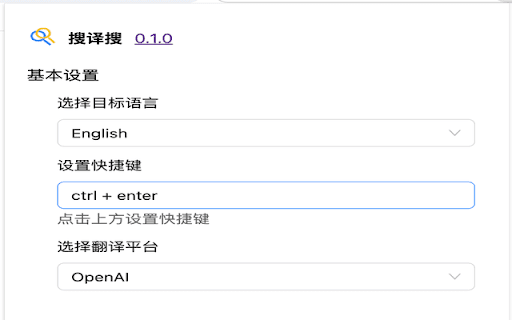
About 搜译搜
This innovative plugin enables instant translation of your search queries into your preferred language, enhancing search efficiency and saving time. With a single click after installation, it automatically translates and executes your search in the selected language.
How to Use
Install the plugin, then click its icon on any search page. It instantly translates your query and performs the search in your chosen language without additional steps.
Features
- Speeds up search processes with automatic translation
- Translates search queries instantly
- Enables one-click multilingual searches
Use Cases
- Translating search queries for international information retrieval
- Effortlessly searching in foreign languages without manual translation
Best For
StudentsResearchersTravelersGlobal Business ProfessionalsLanguage Learners
Pros
- Reduces search time through automated translation
- Enhances global search capabilities across languages
- User-friendly with a simple one-click operation
Cons
- May face compatibility issues with some browsers or search engines
- Translation accuracy depends on the engine used
- Could require configuration for specific target languages
FAQs
How do I operate the translation and search plugin?
After installing, click the plugin icon on a search page. It will automatically translate your query and perform the search in your selected language.
Can the plugin handle multiple languages?
Yes, it supports multiple languages. Set your preferred target language in the plugin settings for seamless translation.
Is the plugin compatible with all browsers?
Compatibility may vary; ensure your browser supports the plugin for optimal performance.
Does translation accuracy depend on the engine used?
Yes, translation quality relies on the engine integrated within the plugin, which strives for high accuracy.
Is technical setup required to configure languages?
Minimal setup is needed; select your target languages in the plugin settings to enable automatic translation.