
火山翻译 - 划词和网页翻译
ByteDance's multilingual translation plugin equipped with advanced features and terminology management for seamless communication.
About 火山翻译 - 划词和网页翻译
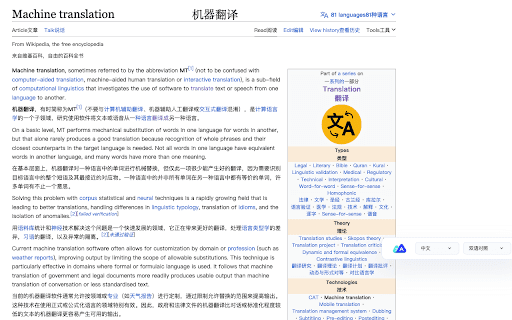
Volcano Translation, a product of ByteDance, is a powerful multilingual translation plugin offering features like one-click webpage translation, text selection translation, an English dictionary, vocabulary management, and word memorization. It supports multiple domains such as business and education, allowing users to select from seven key translation fields for more precise results. Users can also add custom terminology to ensure consistent and accurate translations across various scenarios.
How to Use
Install the Volcano Translation plugin to enable quick webpage translation, select text for instant translation, or access the English dictionary and vocabulary tools. Log in to add custom terminology for enhanced translation accuracy.
Features
- English dictionary for language reference
- Custom terminology management
- Supports multiple translation domains
- One-click webpage translation
- Text selection translation
- Memory aid with word memorization
- Vocabulary management system
Use Cases
- Translate selected text within webpages and PDFs.
- Translate entire websites for easier comprehension.
- Enhance English vocabulary and retention.
- Translate industry-specific terminology accurately.
Best For
Pros
- Supports a wide range of languages.
- Offers comprehensive translation features.
- Free to use with optional login for unlimited access.
- Includes an English dictionary and vocabulary tools.
- Enables personalized terminology entry.
Cons
- Full functionality may require user login.
- Page refresh needed after software updates.