

A.I.Prompt Log
A Chrome extension designed to create, organize, and manage AI prompts efficiently.
About A.I.Prompt Log
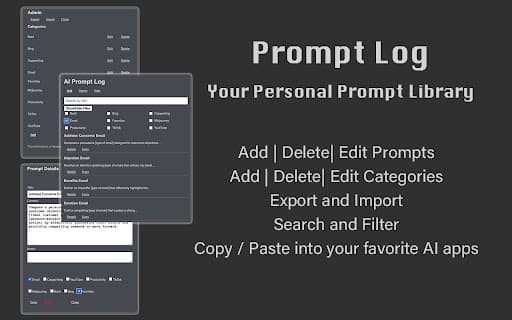
AI Prompt Log is a powerful Chrome Web Store extension that enables users to create, organize, and manage a comprehensive library of AI prompts. It features a user-friendly interface with a scrollable, filterable, and searchable list of prompts. Users can add, edit, or delete prompts and categories, copy prompts directly to the clipboard for quick use in AI tools like ChatGPT, Bard, Bing, and Midjourney, and easily export or import their prompt collections through CSV files for backup or sharing.
How to Use
Download and install the AI Prompt Log extension from the Chrome Web Store. After installation, add new prompts, organize them into categories, and edit existing prompts as needed. Use the search feature to locate specific prompts quickly. Copy prompts to your clipboard for use in AI platforms. Export your entire prompt library to a CSV file or import prompts from a CSV to back up or share your collection.
Features
- Scrollable, filterable, and searchable prompt list
- Bulk import and export via CSV files
- Copy prompts directly to clipboard
- Add, edit, or delete prompts and categories
- Export prompt library to CSV for backup or sharing
Use Cases
- Sharing prompt collections with teams
- Organizing prompts for multiple AI tools
- Building a personalized prompt library
- Quick access to prompts across AI platforms
Best For
Pros
- Centralizes AI prompt management
- Enables quick copy-paste into AI tools
- Supports CSV export and import for easy backup
- Offers search and filter features for efficient retrieval
- Simplifies adding, editing, and organizing prompts
Cons
- Limited to Chrome browser only
- Lacks built-in prompt suggestion features
- Requires manual prompt entry
- Dependent on Chrome Web Store for updates and availability