

AI Email Extractor: Find the Email ID by AI
AI-powered tool designed to automatically extract and store email addresses from web pages with high accuracy.
About AI Email Extractor: Find the Email ID by AI
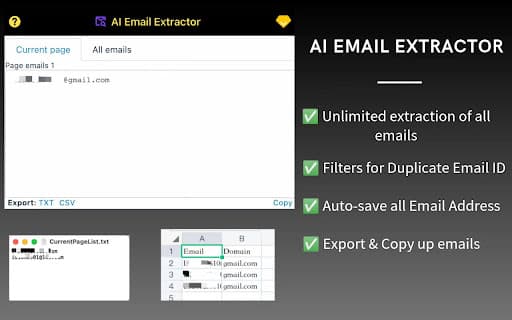
AI Email Extractor is an advanced tool compatible with Chrome and Firefox that automates the process of extracting email addresses from web pages. Utilizing AI and sophisticated algorithms, it filters and collects relevant emails from visited sites, saving them directly to your account for easy access and management.
How to Use
Install the AI Email Extractor extension on Chrome or Firefox. Browse any web page, and the tool will automatically detect and save email addresses for you.
Features
- Automatically saves extracted email addresses
- Extracts emails from text files effortlessly
- Performs automated email extraction from web pages
- Supports extraction from local HTML files
- Utilizes AI algorithms for precise email filtering
- One-click copying of email lists (available in professional version)
- Filters out duplicate email addresses
- Exports data to text or CSV formats (professional feature)
Use Cases
- Creating targeted email marketing lists
- Collecting contact details from websites
- Generating leads for sales and outreach campaigns
Best For
Digital marketersLead generation professionalsRecruiters and HR teamsSales and outreach specialists
Pros
- AI algorithms accurately filter relevant email addresses
- Automates the extraction process to save time
- Removes duplicates for clean email lists
- Extracts emails from both web pages and text files
- Automatic saving prevents data loss
- Supports extraction from local HTML files
Cons
- Ethical considerations around unsolicited emails
- Extraction effectiveness varies with website structure
- Professional features require a paid plan
FAQs
Where can I find the FAQ section?
The FAQ is available at https://extensionsgod.com/#faq
How do I contact customer support?
Reach support via help@extensionsgod.com for assistance.
Is my data processed locally?
Yes, all data is processed on your device, ensuring privacy and security.
Can I extract emails from text files?
Yes, the tool supports extracting emails from text documents for convenience.
Does the tool support exporting data?
Yes, you can export email lists to text or CSV files, available in the professional version.