

AI Event Scheduler
Effortlessly generate Google Calendar events from selected text snippets.
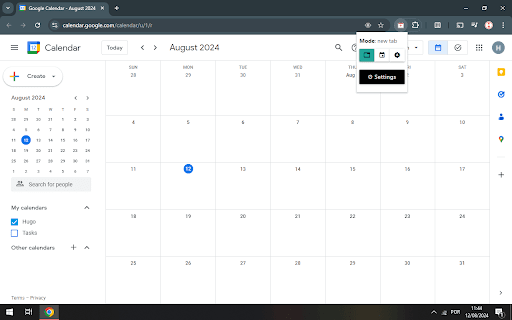
About AI Event Scheduler
This tool simplifies creating Google Calendar events by allowing users to select text with event details and generate calendar entries instantly. It streamlines your scheduling process, saving valuable time and effort.
How to Use
Highlight the text containing event details such as date, time, and description on any webpage. Click the extension icon or button. The tool will parse the information and automatically add the event to your Google Calendar. Review and confirm the event before saving.
Features
- Seamless integration with Google Calendar
- Extracts date, time, and details from text
- Automatically creates events from selected content
Use Cases
- Add appointments directly from messages or notes
- Quickly convert emails into calendar events
- Create events from online articles or web pages
Best For
StudentsBusy professionalsEvent organizersTeam managersAdministrators
Pros
- Integrates smoothly with Google Calendar
- Reduces manual data entry
- User-friendly with simple select-and-click operation
- Saves time in event creation
Cons
- May need manual adjustments for complex event details
- Requires Google Calendar permissions
- Dependent on the clarity of the selected text
FAQs
How accurate is the event creation process?
The accuracy depends on the clarity of the selected text. The tool attempts to parse date, time, and details precisely, but manual edits may be necessary for complex entries.
Does this require access to my Google Calendar?
Yes, permission is needed to add and save events in your Google Calendar. You will authorize this during setup.
What types of text can be used to generate events?
Texts from emails, web pages, notes, or messages containing clear date, time, and event details can be used effectively.
Can I edit events after they are created?
Yes, you can review and modify events directly in Google Calendar after they are generated.
Is the tool compatible with all devices?
The tool works on all devices supporting Google Calendar and web extensions, including desktops, tablets, and smartphones.