

AI Face Swap - Photo & Video Face Swap
A Chrome extension that enables instant, AI-powered face swapping in online images for fun and creative projects.
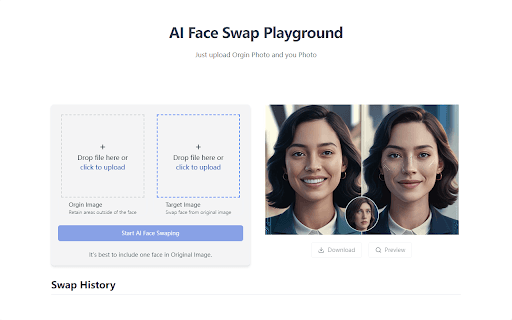
About AI Face Swap - Photo & Video Face Swap
AIFaceSwap is a user-friendly Chrome extension that leverages AI technology to instantly swap faces in online images. Perfect for content creators, social media enthusiasts, and anyone seeking creative image modifications, it offers seamless and high-quality results while browsing the web.
How to Use
Right-click any online image, select the AIFaceSwap option, and let the AI algorithms replace faces automatically. Save or share your edited images instantly.
Features
- One-click face swapping for quick edits
- Supports multiple face detection in a single image
- High-resolution, realistic results
- Customizable blending and detection settings
- Local processing ensures your privacy
Use Cases
- Enhance social media posts with creative face swaps
- Visualize clothing and accessories on yourself during online shopping
- Create unique marketing visuals with swapped faces
- Experiment with different hairstyles and looks digitally
- Generate humorous group photos for entertainment
- Design artistic or funny images effortlessly
Best For
Social media influencersContent creatorsGraphic designersPhotographersDigital marketers
Pros
- Produces natural, high-quality face swaps
- Offers customizable options for precise control
- Ensures privacy with local processing
- Simple to use with a single click
- Suitable for diverse creative projects
Cons
- Results depend on the quality of AI algorithms
- Performance varies based on browser and hardware
- Requires Chrome extension installation
FAQs
How does AIFaceSwap protect my privacy?
All image processing occurs locally in your browser, keeping your data secure and private.
Can I swap faces in group photos?
Yes, the extension supports multiple face swaps within a single image for complex scenes.
Are there customization options for face swapping?
Yes, you can adjust settings like blend strength and detection sensitivity for optimal results.
Is the extension compatible with all websites?
It works seamlessly on most websites where images can be right-clicked and selected.
How do I save or share my edited images?
After swapping faces, you can easily save the image to your device or share it directly from the extension.