

AI Sheets Assistant - For Excel & Sheets
Innovative AI tool designed to create and clarify spreadsheet formulas for Excel and Google Sheets, streamlining your workflow.
About AI Sheets Assistant - For Excel & Sheets
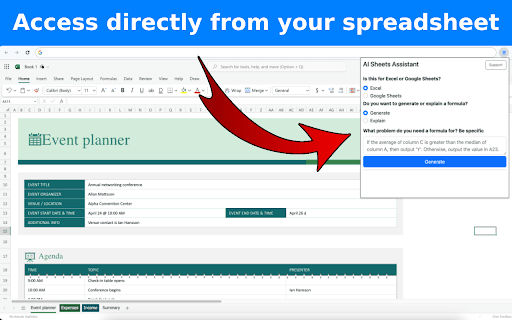
The AI Sheets Assistant simplifies the process of creating and understanding spreadsheet formulas. Users can generate formulas by describing their needs or get clear explanations for existing formulas. Compatible with both Microsoft Excel and Google Sheets, it is accessible directly from the website for seamless integration.
How to Use
Describe the formula you need or input an existing formula on the website. The AI will generate or clarify the formula accordingly.
Features
- Compatible with Microsoft Excel and Google Sheets
- Create formulas from natural language descriptions
- Provide clear explanations of existing formulas
- Accessible directly through the website
Use Cases
- Creating complex spreadsheets effortlessly
- Understanding unfamiliar formulas quickly
- Automating formula generation
- Learning spreadsheet functions
Best For
AccountantsStudentsFinancial analystsData analystsOffice professionalsSpreadsheet users
Pros
- Easy to access and use directly from the website
- Streamlines formula creation and understanding
- Supports both Excel and Google Sheets
- Free starter plan available
- Provides fast, reliable support
Cons
- Requires clear descriptions for accurate formulas
- Complex formulas may challenge the AI's capabilities
FAQs
What features does the AI Sheets Assistant offer?
It generates formulas from descriptions and explains existing formulas for Excel and Google Sheets.
Can I access the AI Sheets Assistant without leaving the website?
Yes, it is fully accessible directly from the website without needing to navigate away.
Is the AI Sheets Assistant free to use?
Yes, you can start using it for free.
Which spreadsheet applications does the AI support?
It supports both Microsoft Excel and Google Sheets for formula creation and explanation.
How accurate is the AI in generating formulas?
Accuracy depends on the clarity of your description; detailed inputs yield better results.