
AI Speak Subtitles for YouTube
Chrome extension that provides real-time spoken subtitles for YouTube videos, with translation and customizable voice options.
About AI Speak Subtitles for YouTube
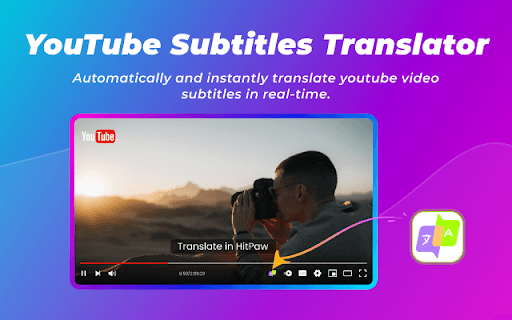
AI Speak Subtitles for YouTube is a Chrome extension that delivers real-time spoken subtitles for YouTube videos. It converts on-screen text into natural-sounding speech, enhancing engagement and accessibility. Users can customize voices, select preferred languages, and access translation features while safeguarding their privacy.
How to Use
Pin the extension to your browser toolbar, open a YouTube video, and it will automatically translate and vocalize the subtitles. Adjust voice type, language, speed, and volume to suit your preferences.
Features
- Supports over 100 voices and languages
- Translates YouTube subtitles in real time
- Provides spoken subtitles for better engagement
- Enables text-to-speech (TTS) functionality
Use Cases
- Learning new languages by hearing subtitles aloud
- Experiencing YouTube content in an innovative way
- Improving accessibility for visually impaired users
Best For
Visually impaired usersLanguage learnersAudience seeking immersive YouTube experiencesUsers preferring auditory learning
Pros
- Offers professional-grade support
- Prioritizes user privacy and security
- Enhances viewing with spoken subtitles
- Overcomes language barriers with translation
- Provides extensive voice and language options
Cons
- Requires Google Chrome browser
- Performance depends on internet speed and device resources
- Limited to YouTube video content
FAQs
How do I set up AI Speak Subtitles for YouTube?
Pin the extension to your Chrome toolbar, open a YouTube video, and it will automatically translate and vocalize the subtitles. Customize voice, language, speed, and volume settings as needed.
Which languages are supported?
The extension offers over 100 voice options and supports multiple languages for speech and translation.
How do I get technical support?
Contact support@blipcut.com for professional assistance and troubleshooting.
Is the extension compatible with all browsers?
No, it is designed specifically for Google Chrome browser for optimal performance.
Can I customize the voice and speech settings?
Yes, you can select different voices, languages, and adjust speed and volume to personalize your experience.