

AI Tabs Group
Discover how the AI Tabs Group Chrome extension automatically organizes your browser tabs for improved productivity and seamless browsing management.
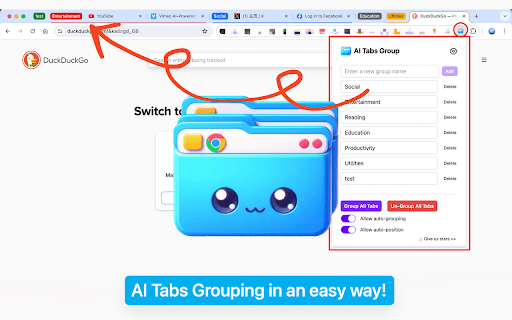
About AI Tabs Group
AI Tabs Group is a pioneering Chrome extension that leverages advanced artificial intelligence to automatically categorize and organize your browser tabs. Whether you're conducting research, multitasking across projects, or browsing casually, this extension streamlines your workflow, saves time, and boosts overall productivity.
How to Use
Install the AI Tabs Group extension from the Chrome Web Store. The extension automatically groups your open tabs based on content. Customize settings to suit your browsing habits for optimal organization.
Features
- Intuitive interface for effortless use
- AI-powered automatic tab grouping
- Customizable organization settings
Use Cases
- Organizing research tabs for academic projects
- Managing multiple work tasks efficiently
- Keeping browsing sessions tidy during large projects
- Streamlining multitasking across different topics
Best For
Professionals seeking efficient browsingStudents managing research tasksResearchers handling multiple sourcesFrequent multitaskersAnyone looking to optimize browser organization
Pros
- Customizable settings to match user preferences
- Enhances productivity by reducing clutter
- User-friendly interface for easy navigation
- Automatically categorizes tabs using AI technology
Cons
- Initial setup may require some configuration
- Effectiveness depends on AI accuracy in tab categorization
FAQs
What is AI Tabs Group?
AI Tabs Group is a Chrome extension that uses artificial intelligence to automatically organize your browser tabs, saving time and increasing productivity.
How does the extension automatically organize tabs?
It analyzes your open tabs and categorizes them based on content, grouping similar tabs together without manual input.
Is the AI Tabs Group extension easy to install and use?
Yes, installation is straightforward, and the extension features an intuitive interface suitable for all users.
Can I customize how tabs are grouped?
Absolutely. You can adjust settings to organize tabs according to your preferences and workflow.
Does the extension work with all types of browsing content?
The extension is designed to work effectively across most content types, but its accuracy may vary depending on the content complexity.