

AICAPN - Your new AI parrot assistant
A versatile ChatGPT-powered AI assistant seamlessly integrated into your browser sidebar for quick access.
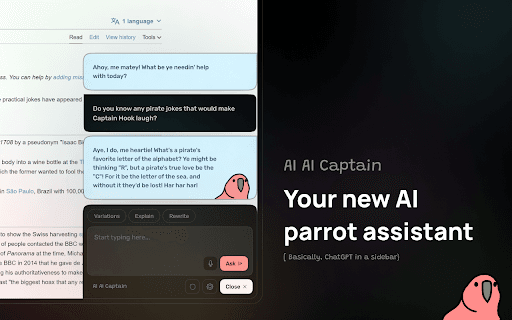
About AICAPN - Your new AI parrot assistant
AI Cap’n is an intelligent AI assistant powered by ChatGPT, integrated directly into your browser's sidebar. It enables instant AI support for various tasks while browsing, enhancing your productivity and efficiency.
How to Use
Open AI Cap’n quickly using a keyboard shortcut, then interact with the AI to get help with your tasks while browsing the internet.
Features
- Dark mode for comfortable viewing
- Powered by ChatGPT for intelligent responses
- One-click copying of chat conversations
- Use your own OpenAI API key to manage costs
- Seamless integration into browser sidebar
- Quick access via keyboard shortcuts
Use Cases
- Copy chat responses effortlessly
- Customize costs with your OpenAI API key
- Access AI assistance instantly during web browsing
Best For
Frequent ChatGPT usersDevelopers seeking integrationStudents needing quick helpWriters enhancing productivityResearchers gathering information
Pros
- Fast access with keyboard shortcuts
- Dark mode for comfortable reading
- Option to use your own OpenAI API key for cost control
- Effortless text copying from chat
- Convenient AI assistance within your browser
Cons
- Functionality relies on ChatGPT's capabilities
- Requires an active OpenAI API key
FAQs
What is AI Cap’n?
AI Cap’n is a browser-based AI assistant powered by ChatGPT, accessible via a sidebar.
How can I access AI Cap’n quickly?
Simply use the designated keyboard shortcut to open AI Cap’n instantly.
Is an OpenAI API key necessary to use AI Cap’n?
Yes, you need your own OpenAI API key to control usage and costs effectively.
Can I customize the AI assistant's responses?
Yes, by using your own OpenAI API key, you can tailor the AI's behavior and manage expenses.
Does AI Cap’n support dark mode?
Yes, it includes a dark mode feature for comfortable viewing during extended use.