

AiNA Extension
A versatile extension that enables voice input for ChatGPT and simplifies copying text from web pages.
About AiNA Extension
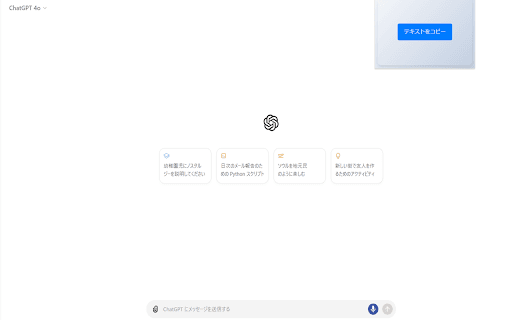
Developed by AI Native Academy, this extension offers two key features: voice input for ChatGPT and effortless web text copying. Voice input allows hands-free interaction with ChatGPT, while the web copy feature helps users quickly extract and organize information from any webpage, enhancing productivity and data sharing.
How to Use
Activate voice input within ChatGPT and speak your prompts to interact hands-free. To copy web text, select the desired content and click to copy; the extension automatically appends a standardized prompt for seamless pasting into ChatGPT.
Features
- Voice input for ChatGPT for hands-free interaction
- Quick web text copying with pre-formatted prompts
Use Cases
- Extracting website information for ChatGPT analysis
- Dictating prompts without typing
- Organizing online research efficiently
- Creating content using web data
Best For
ChatGPT users seeking voice controlContent creators and bloggersResearchers gathering web dataStudents and academicsWriters seeking faster input methods
Pros
- Enhances workflow speed and efficiency
- Simplifies data collection from websites
- Enables hands-free interaction with ChatGPT
- Reduces time spent on typing and formatting
Cons
- Dependent on speech recognition accuracy
- Includes a fixed prompt in copied text, which may not suit all users
- Limited to ChatGPT and web browsing functionalities
FAQs
What are the main features of this extension?
It offers voice input for ChatGPT and a web text copying feature with automatic prompt insertion.
How does the web text copy function operate?
Select text on any webpage and copy it; the extension adds a standard prompt for easy pasting into ChatGPT.
Is this extension compatible with all browsers?
It is designed for Chrome but may work on other Chromium-based browsers with similar features.
Does the extension support multiple languages?
Yes, it supports various languages for voice input, depending on speech recognition capabilities.
Can I customize the prompt added during copying?
Currently, the prompt is fixed; customization options may be available in future updates.