
Albin
Albin serves as an AI-powered art mentor, offering detailed analysis, constructive feedback, and support for visual arts professionals and enthusiasts.
About Albin
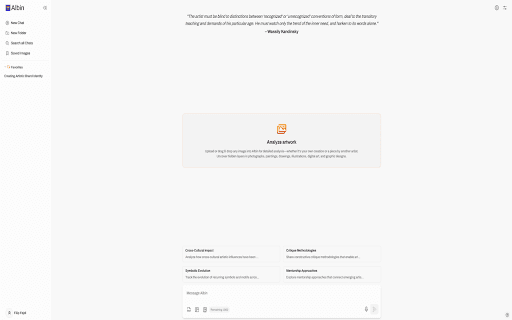
Albin is an intelligent AI mentor and assistant tailored for the visual arts community. It offers comprehensive artwork analysis, personalized critique, and support with portfolio building, exhibition organization, and content creation. Accessible via a web app and browser extension, Albin enables users to easily submit images for expert feedback, making it an invaluable resource for artists, curators, educators, critics, and students seeking to elevate their art practice.
How to Use
1. Download and install the Albin browser extension. 2. Visit www.albin.ai, create a free account. 3. Right-click on any online image and select the Albin option to submit it for analysis and feedback.
Features
- Assists with creating engaging art content for critics and bloggers
- Provides personalized feedback on artistic techniques and styles
- Supports portfolio development and presentation improvements
- Helps plan and organize art exhibitions
- Delivers thorough analysis of artworks
Use Cases
- Supporting curators in designing cohesive exhibitions with thematic insights and descriptive texts
- Helping art teachers craft detailed lesson plans with artwork analysis
- Enhancing art reviews and blog articles with comprehensive artwork evaluations
- Analyzing paintings to offer tailored feedback on artistic techniques and style
Best For
Pros
- Seamless image analysis through browser extension integration
- Facilitates portfolio enhancement, exhibition planning, and content creation
- Offers in-depth artwork analysis and constructive feedback
- Provides tailored support for artists, educators, curators, and critics
Cons
- Account registration required on the Albin website
- Details about the free plan's full capabilities are limited