

AnimeSR
AnimeSR is a powerful browser extension that improves anime image quality in real time for a better viewing experience.
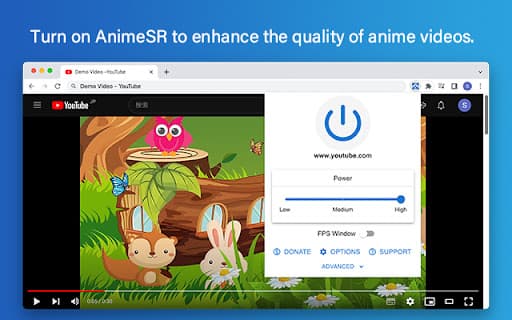
About AnimeSR
AnimeSR is a browser extension designed to instantly upgrade the visual quality of anime content on web pages. It enhances clarity and sharpness during playback, offering viewers a more immersive and crisp anime experience directly within their browser.
How to Use
Download and install the AnimeSR extension from your browser's extension store. Once installed, it automatically improves the visual quality of anime videos on supported websites as you watch.
Features
- Instant real-time enhancement of anime video quality
Use Cases
- Enhancing streaming anime on popular websites
- Improving clarity for high-definition anime viewing
- Upgrading video sharpness during online anime playback
Best For
Anime streamersAnime enthusiastsCasual anime viewersOnline content consumers
Pros
- Provides real-time improvement of anime image quality
- Boosts visual clarity across various streaming platforms
- Simple to install and automatically activates
Cons
- Results depend on the original video quality
- May increase CPU usage, affecting performance on older devices
- Compatibility is limited to supported websites and players
FAQs
What is AnimeSR and what does it do?
AnimeSR is a browser extension that enhances the visual quality of anime videos in real time as you watch.
How can I start using AnimeSR?
Simply install the extension from your browser's store, and it will automatically improve anime video quality during playback.
Is AnimeSR compatible with all streaming websites?
It works with many popular sites, but compatibility may vary depending on the website and video player.
Does AnimeSR require a powerful computer?
It may demand additional processing power, especially for high-resolution videos, which could impact performance on older devices.
Can I disable AnimeSR if I don’t want it active?
Yes, you can easily disable or uninstall the extension through your browser's extension settings.