

Ask Gemini
A browser extension that enables quick access to Google's Gemini AI from any webpage, enhancing browsing efficiency.
About Ask Gemini
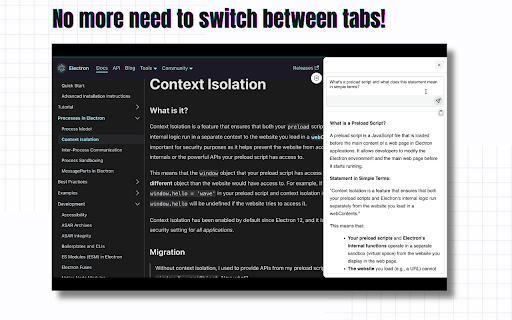
Ask Gemini is a powerful browser extension that provides instant access to Google's Gemini AI from any webpage. It streamlines your workflow by eliminating tab switching, offering seamless AI assistance while browsing the internet.
How to Use
Install the Ask Gemini browser extension. After installation, access Google's Gemini AI instantly from the current webpage without needing to switch tabs.
Features
- Instant access to Google's Gemini AI from any webpage
Use Cases
- Get quick AI assistance while browsing
- Enhance research efficiency
- Generate content seamlessly
- Answer questions without leaving the page
- Improve productivity during online tasks
Best For
WritersContent creatorsStudentsResearchersDigital professionals
Pros
- Seamless integration with browsing experience
- Eliminates the need to switch tabs
- Provides instant access to Gemini AI
Cons
- Depends on the functionality of Google's Gemini AI
- Requires installation of the browser extension
FAQs
What is Ask Gemini?
Ask Gemini is a browser extension that provides quick access to Google's Gemini AI directly from any webpage.
How does Ask Gemini improve browsing?
It allows you to access AI assistance instantly without switching tabs, making online research more efficient.
Is Ask Gemini compatible with all browsers?
It is compatible with major browsers that support extensions, such as Chrome and Firefox.
Do I need to create an account to use Ask Gemini?
No, you can use the extension without creating an account, but certain features may require login.
Is Ask Gemini free to use?
Yes, the extension is free, providing easy access to Google's Gemini AI.