

ASKWay 1.1.2
A comprehensive AI assistant Chrome extension powered by GPT-4, designed to enhance productivity and streamline online tasks.
About ASKWay 1.1.2
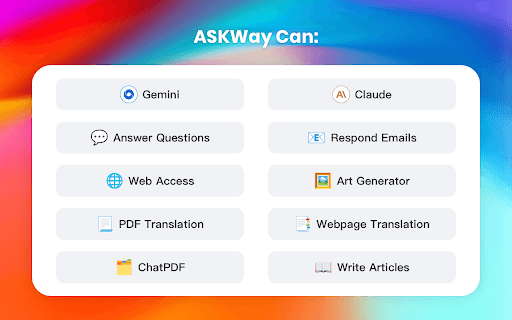
ASKWay is a versatile Chrome extension that harnesses advanced language models like ChatGPT and GPT-4 to serve as an all-in-one AI assistant. It provides features such as sidebar chat, intelligent web search, article reading and writing support, web access, and ChatPDF functionalities, making online tasks faster and easier.
How to Use
Install ASKWay in Chrome, then press Cmd+i (macOS) or Ctrl+i (Windows) to open the sidebar. Highlight text for quick actions or click the extension icon for additional features like translation and chat. Use the shortcut commands to streamline your workflow.
Features
- Extensive prompt library for quick responses
- Smart search integration with Google and Bing
- Assistance with copywriting and content creation
- Webpage and PDF translation in over 30 languages
- Shortcut command bar for efficient text manipulation
- PDF and webpage translation features
- Real-time sidebar conversations with GPT-4
Use Cases
- Rewriting and editing text efficiently
- Answering questions with real-time web data
- Summarizing articles and complex content
- Translating webpages and PDF documents
- Creating compelling advertisement copy
Best For
Writers and content creatorsProfessionals seeking quick information accessTranslators and language learnersStudents and researchersDigital marketers
Pros
- Available on iOS and Android platforms
- Supports multiple languages for diverse users
- Powered by advanced AI models like ChatGPT and GPT-4
- Offers a broad range of AI-assisted features
- Easy access via a convenient sidebar
Cons
- Limited daily usage on the free plan
- Dependent on external search engines like Google and Bing
- Subscription required for unlimited access and premium features
FAQs
What is ASKWay and how does it work?
ASKWay is a Chrome extension that leverages GPT-4 to assist with translation, summarization, and text explanation directly within your browser.
How can I start using ASKWay?
Install the extension, then press Cmd+i (macOS) or Ctrl+i (Windows) to open the sidebar. Select text for quick actions or click the icon for more options.
Do I need an OpenAI or ChatGPT account to use ASKWay?
No, ASKWay can be used without a ChatGPT or OpenAI account by signing up with any email address.
Is ASKWay free, and are there paid plans?
Yes, ASKWay offers free usage with daily limits. Paid subscriptions unlock unlimited access and advanced features.
Can ASKWay translate multiple languages?
Yes, ASKWay supports translation for over 30 languages, including webpage and PDF translations.
What are the main benefits of using ASKWay?
It enhances browsing productivity, simplifies content creation, and provides instant AI-powered assistance directly within your browser.