

Audio Textify
A powerful Chrome extension that enables seamless transcription, summarization, translation, and content creation from audio and video files.
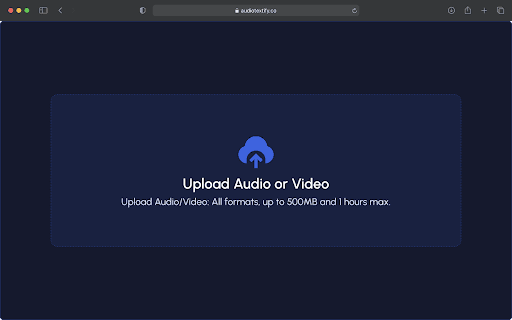
About Audio Textify
Audio Textify is an innovative Chrome extension designed to enhance your content workflow by integrating advanced AI features directly into your browser. It simplifies transcribing, summarizing, translating, and generating content from audio and video sources with remarkable efficiency. Supporting voice-to-text in 99 languages, it caters to a global audience, making it easy to capture discussions, notes, and meetings accurately. The extension also enables translation of transcripts into multiple languages, expanding content accessibility worldwide. Content creators and social media managers can leverage its tools to produce engaging posts, articles, presentations, and concise notes effortlessly. Additionally, Audio Textify provides detailed analysis of transcripts by summarizing key points, identifying major themes, and extracting relevant keywords, helping users organize and understand content quickly. Its comprehensive features empower professional and creative users to generate a wide array of written materials, streamlining their content creation and information management processes.
How to Use
Install the Audio Textify Chrome extension. Use it within your browser to transcribe, summarize, translate, and create content directly from audio and video sources with ease.
Features
- AI-powered content creation for social media, blogs, and more
- Multilingual translation of transcripts into numerous languages
- Generate articles, presentations, notes, and formal documents
- Voice-to-text conversion in 99 languages for global accessibility
- Automatic summarization, theme detection, and keyword extraction
Use Cases
- Summarizing long audio or video recordings
- Creating social media content from multimedia clips
- Translating audio content for international audiences
- Transcribing meetings, lectures, and interviews
- Developing written materials from spoken content for professional use
Best For
Pros
- Supports 99 languages for accurate voice-to-text conversion
- Provides AI-driven tools for content creation and analysis
- Integrates smoothly into your browser for quick access
- Offers transcription, summarization, translation, and content generation functionalities
- Enhances productivity across professional and creative tasks
Cons
- Performance depends on audio or video quality
- Transcription and translation accuracy may vary
- AI outputs might require manual review for precision
- Premium features might incur additional costs