

Audio2Doc - A chatbot on YouTube
Easily ask a chatbot questions about YouTube videos and receive instant, accurate responses.
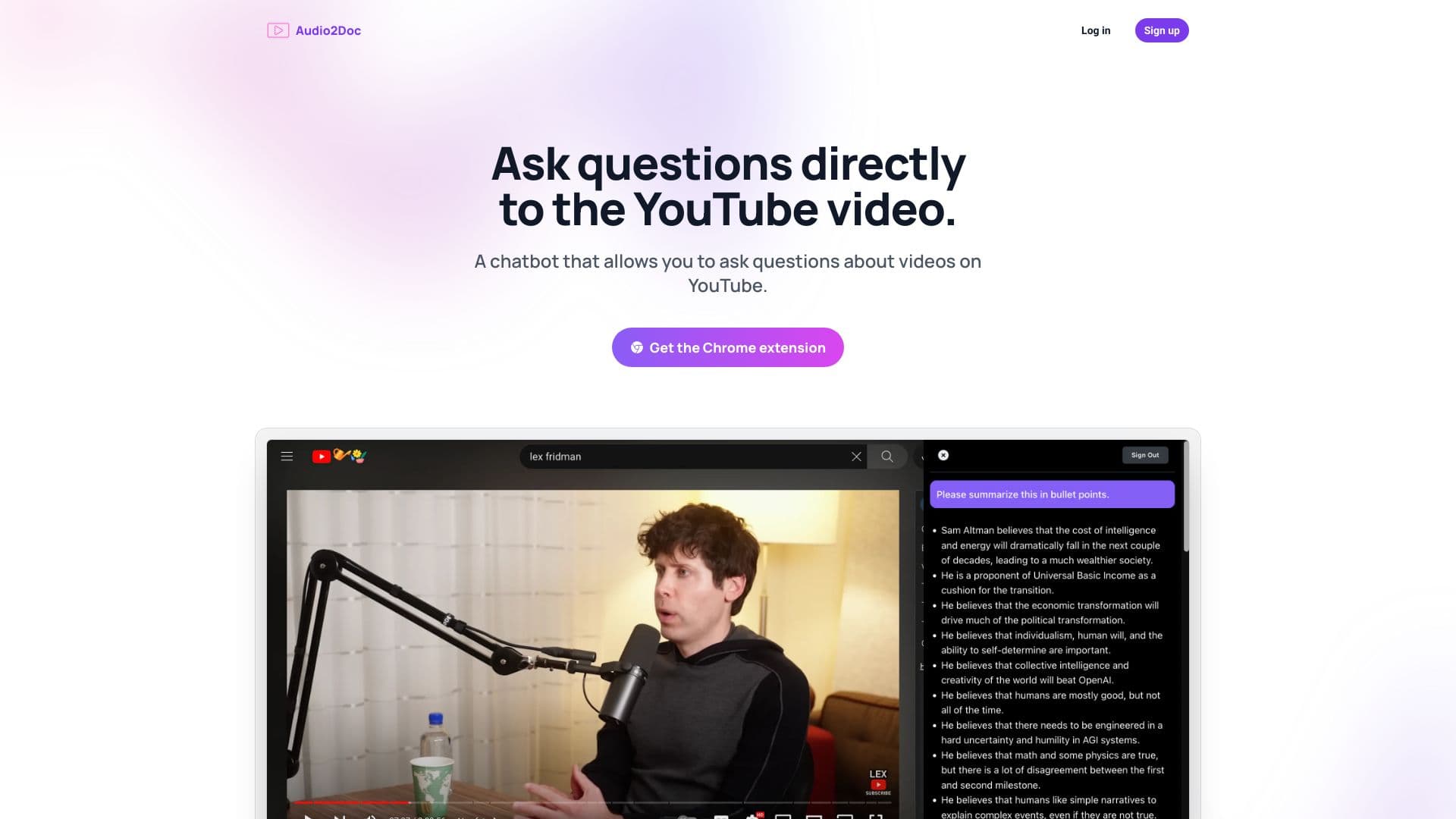
About Audio2Doc - A chatbot on YouTube
Audio2Doc's Chrome extension enables you to ask questions about YouTube videos and receive immediate answers, all without leaving the YouTube platform.
How to Use
Install the Audio2Doc Chrome extension. While watching a YouTube video, activate the extension to ask the chatbot questions about the video's content.
Features
- Receive real-time answers without leaving YouTube
- Ask the chatbot questions about video content
Use Cases
- Quickly grasp video topics by querying the chatbot
- Enhance learning by asking questions during YouTube viewing
- Save time by summarizing video content instantly
Best For
YouTube viewers seeking quick insightsStudents researching videosContent creators analyzing videosResearchers analyzing YouTube contentLifelong learners
Pros
- Seamlessly ask questions without exiting YouTube
- Speeds up understanding of video content
- Provides instant, accurate responses
Cons
- Requires installation of the Audio2Doc Chrome extension
- Answer accuracy depends on chatbot capabilities
- Limited to supported video platforms
FAQs
How does Audio2Doc enhance YouTube viewing?
It allows you to ask questions about videos and get immediate answers, improving comprehension and learning.
Is the Chrome extension free?
Yes, the Audio2Doc Chrome extension is available at no cost.
Can I use Audio2Doc on other platforms besides YouTube?
Currently, it is optimized for YouTube videos through the Chrome extension.
What types of questions can I ask the chatbot?
You can ask about video summaries, specific content details, or clarify complex topics within videos.
How accurate are the chatbot's answers?
Answer accuracy depends on the chatbot's capabilities and the quality of the video content.