

Baxter - Email Organizer & Unsubscriber
AI-powered email assistant for Gmail that leverages ChatGPT technology to streamline inbox management and boost productivity.
About Baxter - Email Organizer & Unsubscriber
Baxter AI is a smart email assistant designed to optimize Gmail workflows. By integrating ChatGPT directly into your inbox, it simplifies email management through features like automatic labeling, email summarization, bulk deletion, and easy unsubscribe options. Suitable for personal and professional use, Baxter helps you save time and stay organized with AI-driven tools that enhance your Gmail experience.
How to Use
Download and install the Baxter Chrome Extension, then connect it to your Gmail account. Access its features within Gmail, including the Unsubscribe button, AI-powered email summarization, draft creation, and bulk removal options, all designed to improve your email productivity.
Features
- Auto-labels emails for better organization
- AI-powered Draft button for composing replies
- Bulk delete option to clear unwanted emails
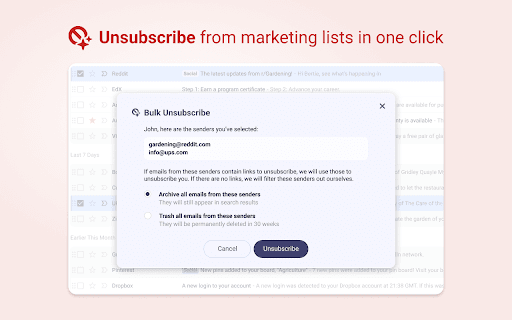
- Unsubscribe button to easily opt out of mailing lists
- ChatGPT integration for summarizing and querying emails
Use Cases
- Generating email reply suggestions with AI assistance
- Automatically categorizing incoming emails
- Summarizing long email threads for quick understanding
- Deleting all emails from specific senders to free storage
- Unsubscribing from multiple mailing lists simultaneously
Best For
Pros
- Speeds up email management with AI-driven summaries and drafts
- Automates inbox organization through labeling
- Facilitates bulk email deletion for storage management
- Integrates seamlessly with Gmail for enhanced productivity
- Simplifies the process of unsubscribing from unwanted emails
Cons
- AI accuracy may vary depending on the context
- Requires Chrome Extension installation
- Potential privacy concerns, though data is not stored or sold