
Bing Chatbot
A Chrome extension that seamlessly integrates GPT-4-powered Bing for enhanced search and instant chatbot access.
About Bing Chatbot
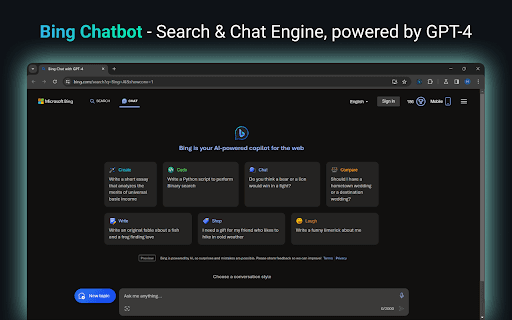
This Chrome extension combines the power of GPT-4 with Bing search, providing faster, more accurate results. It offers one-click access to Bing Chat for quick answers, improving your browsing efficiency and information gathering experience.
How to Use
Install the Chrome extension, which automatically sets Bing as your default search engine. Click the Bing icon in the toolbar to access the chatbot for quick queries and information.
Features
- Seamless GPT-4 integration with Bing search engine
- Optimized and relevant search results
- Instant access to Bing Chat for quick assistance
Use Cases
- Improve browsing efficiency with AI-powered search
- Quickly find accurate answers to queries
- Access a smart AI assistant directly in your browser
Best For
Anyone seeking fast, accurate informationProfessionalsStudentsResearchersKnowledge workers
Pros
- User-friendly and easy to operate
- Boosts browsing efficiency with AI
- Delivers more relevant search results using GPT-4
- Provides instant chatbot access for quick assistance
Cons
- Overrides default search engine to Bing
- Dependent on Bing's search capabilities
FAQs
What is the main function of the Bing Chatbot Chrome extension?
It integrates GPT-4-powered Bing search into your browser, enhancing search quality and providing instant chatbot access.
Will this extension change my existing search engine?
Yes, it sets Bing as your default search provider for more efficient results.
How can I access the Bing Chat-bot?
Simply click the Bing icon in the Chrome toolbar to start chatting instantly.
Does the extension improve search results?
Yes, it uses GPT-4 technology to deliver more accurate and relevant search outcomes.
Is the extension compatible with all websites?
Yes, it works seamlessly across all websites and browsing activities.