

Bing Copilot
A Chrome extension that combines Bing's search capabilities with an AI-powered Copilot for an enriched browsing experience.
About Bing Copilot
Bing Copilot is a powerful Chrome extension that enhances your browsing by embedding Bing's search functions directly into your browser. Its AI-driven assistant simplifies online searches and browsing tasks, offering quick access to information from the new tab page for a more efficient experience.
How to Use
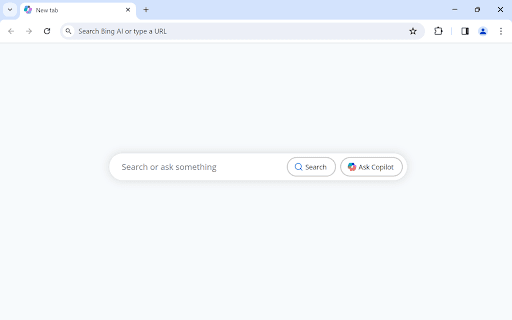
Install the extension, open a new tab, then click 'Search' to query Bing or 'Ask Copilot' for interactive AI-driven assistance.
Features
- Integrates Bing search seamlessly within Chrome
- Provides quick access to search and AI tools from the new tab
- Enables conversational interactions with Bing AI Copilot
Use Cases
- Perform quick web searches using Bing's advanced algorithms
- Engage in conversational queries with Bing AI for personalized assistance
- Streamline browsing and information retrieval
- Enhance productivity with instant AI support
Best For
ProfessionalsStudentsResearchersCasual usersKnowledge seekers
Pros
- Completely free to use
- Easy integration with Chrome browser
- Modern, user-friendly design
- Intuitive and non-intrusive interface
Cons
- Automatically sets Bing as default search engine
- Updates the new tab page appearance slightly
FAQs
What is Bing Copilot?
Bing Copilot is a Chrome extension that integrates Bing's search and AI capabilities directly into your browser for smarter browsing.
How does Bing Copilot function?
It adds 'Search' and 'Ask Copilot' buttons to the new tab page, enabling quick searches and conversational AI interactions with Bing.
What are the main features of this extension?
It offers seamless Bing search integration and an AI-powered chat for personalized browsing assistance.
How do I install Bing Copilot?
Simply add the extension to Chrome from the Web Store. It automatically sets Bing as your default search engine upon installation.
How can I maximize its use?
Open a new tab and use the 'Search' button for quick queries, or click 'Ask Copilot' for AI-driven answers.
Is Bing Copilot free to use?
Yes, it is completely free with no hidden charges or subscription fees.