
BlackboxAI
A browser extension that provides real-time coding assistance and AI-powered support directly within your browser environment.
About BlackboxAI
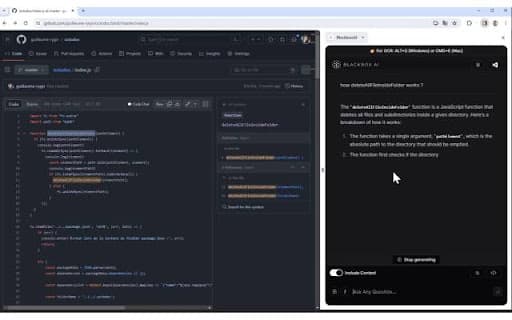
The BLACKBOX AI Extension enhances your coding productivity by delivering instant answers and intelligent suggestions. Seamlessly integrated into your browser and GitHub workflows, it offers features like Code Chat, contextual question answering, and OCR (Image-to-Text) capabilities to streamline your development process.
How to Use
Access the BLACKBOX AI Extension via its browser icon, use customizable keyboard shortcuts, or operate directly within GitHub. Use Code Chat for coding questions, enable 'Include Context' to ask about the current webpage, and activate OCR with CTRL+E (Windows) or CMD+E (Mac) to extract text from images.
Features
- OCR (Image-to-Text) conversion for extracting text from images
- Real-time Code Chat for coding guidance and support
- Context-aware question answering based on webpage content
- Seamless GitHub integration for code-specific assistance
Use Cases
- Extract text from images for coding tasks
- Understand complex code snippets on GitHub
- Get instant coding help without disrupting workflow
- Ask questions about code directly within your browser
Best For
Pros
- OCR feature for efficient text extraction from images
- Multiple access options: icon, shortcuts, GitHub button
- Provides instant answers and coding suggestions
- Integrates smoothly into existing development workflows
Cons
- Requires installation of the browser extension
- OCR relies on keyboard shortcut activation
- Effectiveness varies with AI model quality