

Block Enter
Enhance your ChatGPT experience by disabling the Enter key to avoid accidental message sends.
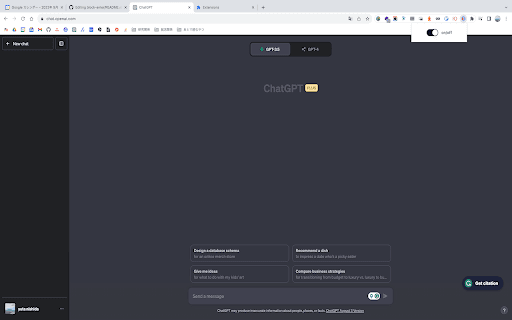
About Block Enter
Block Enter is a useful feature that prevents accidental message submissions in ChatGPT by disabling the Enter key's send function. It synchronizes seamlessly across all browser tabs, ensuring a consistent and hassle-free user experience.
How to Use
Activate the 'Block Enter' feature once. The setting automatically syncs across all your browsers and tabs, so no additional configuration is needed.
Features
- Disables the Enter key to prevent accidental message sends in ChatGPT
Use Cases
- Avoid accidental message transmissions during chats
- Gain better control over message sending
- Streamline ChatGPT interactions for precise communication
Best For
Users prone to accidental keystrokesIndividuals seeking message send controlRegular ChatGPT users
Pros
- Synchronizes settings across multiple tabs and browsers
- Simple and quick to set up
- Reduces unintended message sends
Cons
- Requires using an alternative method (like a send button) to submit messages
- May initially cause confusion for users accustomed to pressing Enter
FAQs
What is the purpose of the Block Enter feature?
It prevents accidental message sending in ChatGPT by disabling the Enter key's send function.
Is it necessary to configure Block Enter in every browser or tab?
No, the setting syncs automatically across all browsers and tabs after one setup.
Can I still send messages with the Enter key disabled?
Yes, you can use alternative methods such as clicking the send button to submit messages.
Will disabling Enter affect my ability to use keyboard shortcuts?
Disabling Enter only affects message sending; other keyboard shortcuts remain functional.
Is the Block Enter feature compatible with all browsers?
It is compatible with most modern browsers that support synchronization across tabs.