

Bold360
Chrome extension designed for fast access to the Bold360 Knowledge Base and easy topic suggestions.
About Bold360
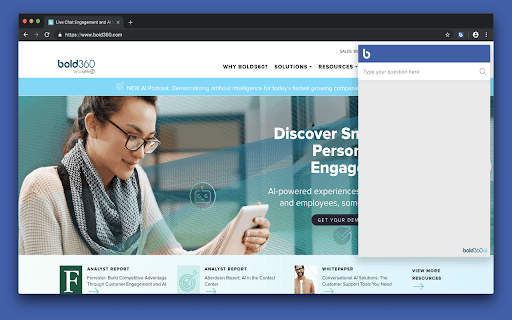
The Bold360 AI Chrome Extension empowers customer support teams by providing instant access to the Bold360 Knowledge Base. Users can quickly search for solutions with a single click and easily recommend new topics to the Knowledge Base Manager. This intelligent assistant leverages natural language processing to help employees resolve issues efficiently at any time.
How to Use
Install the Bold360 Chrome Extension. After setup, search the Knowledge Base instantly or suggest new topics directly from your browser to improve information resources.
Features
- Easily suggest new topics to the Knowledge Base Manager
- Instant access to Bold360 Knowledge Base from your browser
Use Cases
- Quickly retrieve answers during customer interactions
- Recommend new articles based on common inquiries
Best For
Support agentsKnowledge base managersCustomer service teamsSupport supervisorsHelpdesk staff
Pros
- Provides instant assistance whenever needed
- Enhances efficiency with quick information retrieval
- Simplifies knowledge base updates through easy suggestions
Cons
- Limited to searching and suggesting knowledge articles
- Requires an active Bold360 subscription
FAQs
What is the Bold360 AI Chrome Extension?
It is a browser plugin that enables quick searches of the Bold360 Knowledge Base and allows users to suggest new topics directly.
Is a Bold360 subscription necessary to use this extension?
Yes, an active Bold360 subscription is required to access all features of the Chrome extension.
Can I suggest new topics for the Knowledge Base?
Yes, the extension allows users to easily recommend new topics or articles for the Knowledge Base.
How does the extension improve customer support?
It provides instant access to relevant information, enabling support agents to resolve customer issues more efficiently.
Is the extension compatible with all browsers?
It is specifically designed for Google Chrome and works seamlessly within this browser.