

Bookmark GPT
A powerful tool for efficiently saving, organizing, and revisiting GPT chat responses for enhanced productivity.
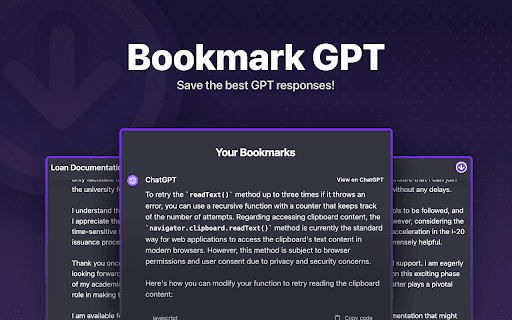
About Bookmark GPT
Bookmark GPT is a versatile browser extension that simplifies saving, organizing, and revisiting GPT chat responses. Users can bookmark conversations directly within their browser, categorize them for quick access, and retrieve responses instantly. This tool streamlines managing AI interactions, boosting efficiency and productivity.
How to Use
Install the Bookmark GPT extension to save any chat response with a single click. Organize your bookmarks by conversation topics for quick retrieval and easy reference anytime.
Features
- Secure local data storage
- One-click saving of GPT responses
- Instant access to bookmarked chats
- Categorize responses by conversation topics
Use Cases
- Reviewing discussions for study purposes
- Organizing AI chat data for research
- Saving key GPT responses for future reference
Best For
ResearchersAI enthusiastsStudentsContent creatorsResearchers
Pros
- User-friendly interface for quick navigation
- Efficiently stores and organizes GPT responses
- Boosts productivity through instant access
- Ensures privacy with local data storage
Cons
- Limited to GPT chat interactions
- Currently supports only local storage; cloud sync coming soon
FAQs
Where are my bookmarks stored?
Your bookmarks are stored securely on your browser's local storage, ensuring privacy and data security.
Can I share saved GPT responses with others?
Yes, you can easily export and share your saved responses with colleagues or friends.
Will Bookmark GPT sync across multiple devices?
Cloud synchronization is planned for future updates, enabling access from any device.
Is the extension compatible with all browsers?
Currently, it is optimized for Chrome, with plans to support additional browsers soon.
How secure are my saved responses?
All data is stored locally on your device, ensuring maximum privacy and security.