

BookmarkGPT
A Chrome extension that simplifies bookmarking and organizing ChatGPT prompts for enhanced productivity.
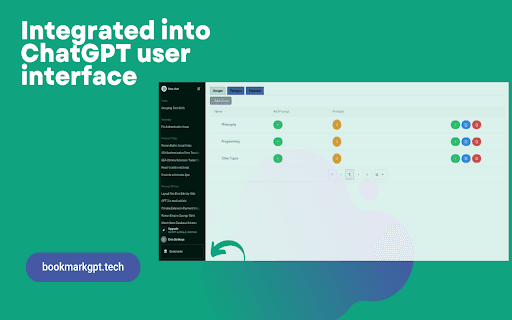
About BookmarkGPT
BookmarkGPT is a powerful Chrome extension that helps users efficiently organize and access ChatGPT prompts. By allowing you to save prompts and create custom categories, it streamlines your workflow and ensures quick retrieval of your favorite prompts directly within ChatGPT’s interface.
How to Use
Install BookmarkGPT, continue chatting with ChatGPT, and click the bookmark icon to save prompts. Organize prompts into custom groups and manage them through the extension's interface within chat.openai.com.
Features
- Create and customize prompt groups for easy organization
- Manage prompts directly within ChatGPT's sidebar
- Save favorite prompts with a single click for quick access
Use Cases
- Reusing effective conversation starters
- Organizing coding snippets for easy retrieval
- Managing creative writing prompts for various projects
Best For
StudentsWritersResearchersChatGPT usersDevelopersContent creators
Pros
- Quickly save and access favorite prompts
- User-friendly, intuitive interface
- Seamless integration with chat.openai.com
- Organize prompts with customizable groups
- Keeps prompts private by saving locally
Cons
- Initial setup needed to create prompt groups
- Limited to use within chat.openai.com
- Requires Chrome browser for operation
FAQs
How can I save prompts using BookmarkGPT?
Click the bookmark icon next to a prompt during your ChatGPT session to save it easily.
Is it possible to organize saved prompts?
Yes, you can create custom categories to organize prompts by project, theme, or personal preference.
Where do I manage my saved prompts?
Manage your prompts through the extension's interface accessed from the ChatGPT window in chat.openai.com.
Does BookmarkGPT store prompts online?
No, all prompts are saved locally on your device to ensure your privacy.