

Career Copilot: Unlocking Your Brilliance
AI-powered Chrome extension designed for real-time meeting analysis and actionable insights.
About Career Copilot: Unlocking Your Brilliance
Meeting Copilot is an AI-driven Chrome extension that enhances virtual meetings by analyzing subtitles in real time. It seamlessly integrates with popular meeting platforms, providing instant insights powered by OpenAI or Google Gemini to improve communication and productivity.
How to Use
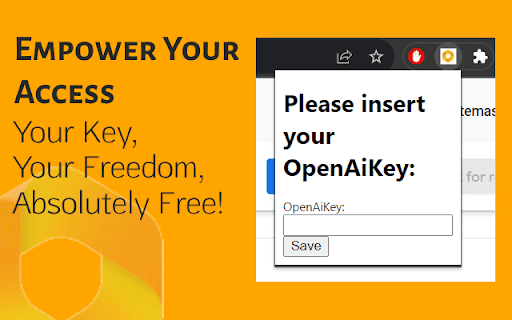
Install the Chrome extension, enter your OpenAI or Google Gemini API key, enable closed captions in your meeting platform, and let Meeting Copilot automatically analyze subtitles and respond to AI requests.
Features
- Customizable containers for tailored display
- Supports integration with OpenAI and Google Gemini
- Enables text selection for contextual AI responses
- Intuitive interface for easy use
- Provides real-time analysis of meeting subtitles
- Works on any website with optional blacklist
- Repositionable dialog for optimal visibility
Use Cases
- Improving virtual meeting engagement with live insights
- Supporting team collaboration with instant summaries
- Assisting professionals in capturing meeting highlights
- Enhancing remote work productivity
- Facilitating real-time language translation
Best For
Remote professionalsVirtual team collaboratorsProductivity-focused professionalsRemote training sessionsOnline educatorsCustomer support teams
Pros
- Integrates seamlessly with OpenAI and Google Gemini for advanced AI insights
- Supports text selection for precise AI interactions
- Allows customization of display containers for better usability
- Offers a user-friendly interface that simplifies meeting management
- Provides instant analysis of meeting subtitles in real time
- Repositionable dialog enhances user experience
- Compatible with any website for versatile use
Cons
- Initial setup may require some configuration
- Accuracy depends on the quality of closed captions
- Requires valid API keys for OpenAI or Google Gemini
FAQs
How do I obtain an API key for OpenAI or Google Gemini?
You can get your API key from OpenAI at https://platform.openai.com/api-keys or from Google Gemini via their developer portal.
How do I enable closed captions in Google Meetings?
Activate closed captions in your Google Meetings settings to enable Meeting Copilot to analyze the spoken content effectively.
Is Meeting Copilot compatible with all websites?
Yes, it works on any website, and you can blacklist specific sites to prevent it from activating there.
Can I customize the display of insights during meetings?
Yes, you can reposition and customize containers for a personalized user experience.
Does Meeting Copilot support multiple languages?
Its effectiveness depends on the language support of your subtitle provider and the AI integration used.
What are the system requirements for using Meeting Copilot?
You need the latest version of Google Chrome and valid API keys for OpenAI or Google Gemini.