

CEBot
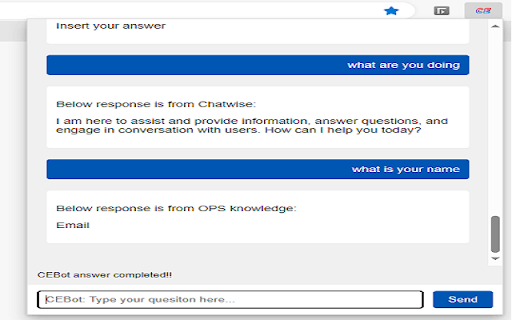
QCOM CEBot is an advanced AI-powered question-and-answer system designed specifically for Qualcomm Customer Engineering. It streamlines information retrieval within Qualcomm CE departments.
About CEBot
QCOM CEBot leverages large language models to deliver accurate answers for Qualcomm Customer Engineering staff. Accessible via simple commands like left-click or Ctrl+Shift+Z, it enhances internal knowledge sharing.
How to Use
Activate QCOM CEBot by left-clicking or pressing Ctrl+Shift+Z for instant information retrieval.
Features
- AI-powered question and answer platform
Use Cases
- Providing quick answers to Qualcomm CE inquiries
Best For
Qualcomm Customer Engineering staff
Pros
- Exclusive to Qualcomm CE, ensuring relevant responses
- Delivers rapid, accurate answers
- Simple activation with easy commands
Cons
- Response accuracy depends on the underlying AI model
- Limited to Qualcomm CE-related topics
FAQs
How can I access QCOM CEBot?
Activate QCOM CEBot by left-clicking or pressing Ctrl+Shift+Z on your keyboard.
What topics can I ask QCOM CEBot about?
You can inquire about Qualcomm Customer Engineering processes, policies, and technical information.
Is QCOM CEBot available on all devices?
Yes, it works across supported workstations and internal systems within Qualcomm CE.
How accurate are the answers from QCOM CEBot?
The answers are generally reliable but depend on the AI model's training data and current information.
Can I customize or train QCOM CEBot further?
Currently, customization options are limited; it relies on the existing AI model tailored for Qualcomm CE.