

Chat GPT
A Chrome extension for ChatGPT that enables users to create, manage, and reuse custom prompts to enhance productivity and save time.
About Chat GPT
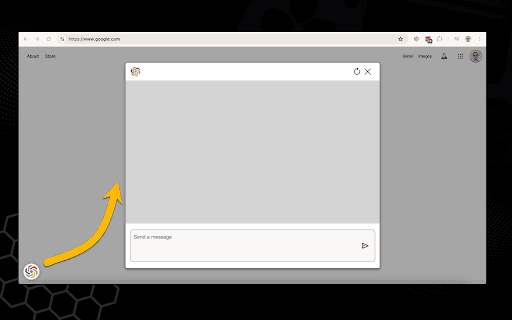
ChromeGPT is a powerful Chrome extension designed to boost your productivity by simplifying your ChatGPT interactions. It allows you to create a personalized library of reusable prompts, accessible instantly with a click. This feature reduces repetitive typing and streamlines your workflow across multiple tasks and webpages.
How to Use
After installing ChromeGPT, access the options page to create and save your custom prompts. To use a prompt, select text on any webpage, right-click, and choose your saved prompt. The extension automatically sends the highlighted text to ChatGPT using your selected prompt.
Features
- Create a personalized library of reusable ChatGPT prompts
- Automate text submission to ChatGPT
- Right-click context menu for quick prompt access
Use Cases
- Generate quick responses from highlighted text using predefined prompts
- Streamline content creation and editing tasks
- Improve research efficiency by automating common queries
Best For
Frequent ChatGPT usersResearchers and academicsCustomer support professionalsStudents and learnersContent creators and writers
Pros
- Enhances ChatGPT workflow efficiency
- Intuitive right-click integration
- Customizable prompt library for tailored responses
- Reduces repetitive typing and copying
Cons
- Requires initial setup to create prompts
- Dependent on Chrome extension stability and updates
FAQs
What is ChromeGPT?
ChromeGPT is a Chrome extension that allows users to create, manage, and quickly access custom prompts for ChatGPT, saving time and increasing productivity.
How does ChromeGPT work?
Create prompts in the settings, highlight text on any webpage, right-click, and select your saved prompt to send the text directly to ChatGPT.
Can I customize prompts in ChromeGPT?
Yes, you can easily add, edit, and delete prompts in the extension’s settings to suit your specific needs.
Is ChromeGPT compatible with all websites?
ChromeGPT works on most webpages where text can be highlighted, making it versatile for various online tasks.
Does ChromeGPT require a subscription?
No, ChromeGPT is a free extension with optional premium features, depending on the version.