

Chat2GPT
A powerful browser extension that enables voice-activated, seamless interactions with ChatGPT for enhanced productivity and convenience.
About Chat2GPT
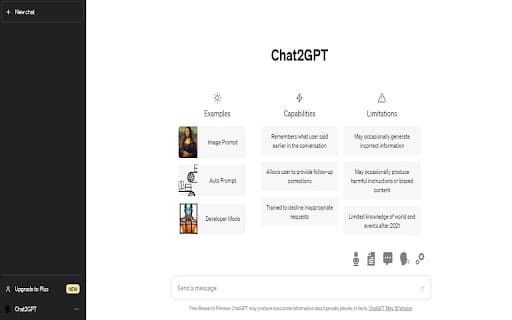
Chat2GPT is an innovative browser extension that simplifies communication with ChatGPT through voice commands. It converts speech into text, submits queries, and vocalizes responses, creating a smooth, hands-free chat experience. Additional features include saved prompts, prompt injection, image support, file uploads, and auto-prompting to boost efficiency and engagement.
How to Use
Install the Chat2GPT browser extension. Speak into your microphone to have your speech transcribed and sent to ChatGPT automatically. Responses will be read aloud for a truly hands-free experience.
Features
- Manage and access saved prompts effortlessly
- Upload files directly to ChatGPT for analysis
- Inject prompts to provide additional context seamlessly
- Automate multiple prompt submissions with Auto-Prompt
- Integrate speech-to-text and text-to-speech for natural conversations
- Support image inputs for visual responses from ChatGPT
Use Cases
- Quick access to frequently used prompts
- Enhance interactions with visual content
- Streamline repetitive prompting tasks
- Conduct hands-free voice conversations with ChatGPT
- Upload and analyze large text files efficiently
Best For
Frequent ChatGPT usersDevelopers and programmersResearchers and academicsWriters and content creatorsStudents and learnersCustomer service professionals
Pros
- Simplifies communication with ChatGPT through voice
- Boosts productivity with saved prompts and automation
- Supports image inputs for richer interactions
- Enables hands-free chat sessions
- Facilitates easy file uploads for analysis
Cons
- Performance depends on speech recognition accuracy
- May require initial setup and configuration
- Needs a microphone and speakers for optimal use
FAQs
What is Chat2GPT?
Chat2GPT is a browser extension that enhances ChatGPT interactions by enabling voice commands, automatic speech recognition, and vocalized responses, along with features like saved prompts and image support.
What features does Chat2GPT offer?
It offers speech-to-text and text-to-speech capabilities, saved prompts, prompt injection, image and file uploads, and auto-prompt automation for efficient conversations.
How does the Auto-Prompt feature work?
Auto-Prompt automatically submits multiple prompts in sequence, processing each one fully before moving to the next, streamlining complex workflows.
Is Chat2GPT suitable for beginners?
Yes, it is user-friendly and designed to enhance ChatGPT interactions, whether you're a beginner or an experienced user.
What equipment do I need to use Chat2GPT?
You need a microphone and speakers or headphones to utilize voice features effectively.