

ChatExt
Chrome extension that simplifies uploading files to ChatGPT for a smoother experience.
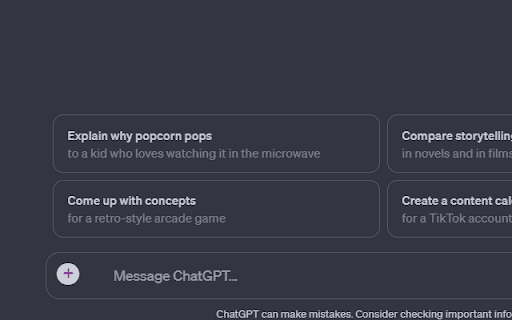
About ChatExt
ChatExt is a powerful Chrome extension designed to enhance your ChatGPT interactions by enabling direct file uploads within the chat interface. It supports multiple file formats, facilitates efficient file management, and intelligently handles file chunking for uninterrupted conversations. The extension also offers convenient download options for code snippets and CSV files. Committed to user privacy, ChatExt does not collect or store any personal data, ensuring secure usage.
How to Use
Install the ChatExt Chrome extension. After installation, upload files by clicking the upload button or simply dragging and dropping files into the ChatGPT chat window.
Features
- Easy file uploads directly into ChatGPT
- Download buttons for generated code and CSV files
- Support for multiple file formats
- Intelligent file chunking for large files
Use Cases
- Downloading code snippets generated by ChatGPT
- Uploading code files for debugging and review
- Sharing data files like CSV for analysis
- Managing project documents within ChatGPT
- Collaborative data analysis with file uploads
Best For
Data analystsStudentsResearchersDevelopersContent creatorsData scientistsEducators
Pros
- Simplifies file uploads and downloads within ChatGPT
- Ensures user data privacy and security
- Streamlines file management during conversations
- Supports a wide variety of file formats
Cons
- Limited to uploading a maximum of 10 files simultaneously
- Does not currently support PDF and Excel (.xlsx) files
- Requires the Chrome browser for operation
FAQs
Which file types are compatible with ChatExt?
ChatExt supports formats such as .java, .json, .txt, .docx, and .csv. Currently, it does not support .pdf and .xlsx files.
What is the maximum number of files I can upload at once?
You can upload up to 10 files simultaneously.
Does ChatExt collect or store my data?
No, ChatExt prioritizes user privacy and does not collect or store any personal data.
Is ChatExt compatible with all browsers?
ChatExt is exclusively designed for the Chrome browser and requires Chrome for optimal functionality.
How do I install ChatExt?
You can install ChatExt by downloading it from the Chrome Web Store and adding it to your browser extensions.