

ChatGPT Assistant For Quora™
A browser extension that integrates ChatGPT to streamline content creation on Quora, enhancing user engagement and productivity.
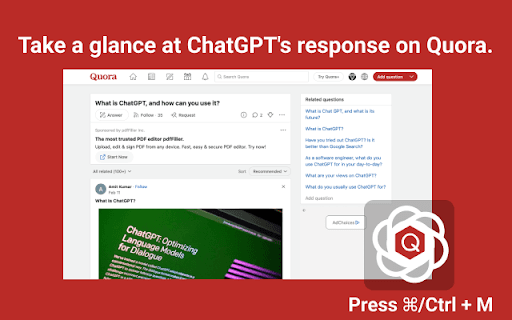
About ChatGPT Assistant For Quora™
The ChatGPT Quora Extension is a powerful browser add-on that boosts your content creation capabilities on Quora by harnessing AI technology. It enables quick generation of answers, comments, content summaries, and adds a creative touch to your Quora interactions for better engagement.
How to Use
Highlight the desired content, open the extension via the toolbar or shortcut (Cmd+M/Ctrl+M), choose an action, then click to generate a response. Copy the output back into Quora to post.
Features
- Automate content shortening with AI assistance
- Accessible through toolbar and navigation shortcuts
- Instantly generate replies and comments with ChatGPT
- Inject humor or creativity into Quora responses
Use Cases
- Crafting compelling comments on Quora threads
- Providing quick, accurate responses to questions
- Adding humor or originality to Quora interactions
- Summarizing lengthy articles or posts for clarity
Best For
Social media enthusiastsStudentsWritersActive Quora usersContent creators
Pros
- Improves quality and engagement on Quora
- Speeds up content creation with automation
- Utilizes ChatGPT for diverse writing needs
- Simple to use with keyboard shortcuts
Cons
- Requires a ChatGPT account for full functionality
- Dependent on ChatGPT's accuracy and availability
- May experience delays during high demand periods
FAQs
How can I access the extension?
Open the extension from the toolbar icon or use the shortcut Cmd+M (Mac) or Ctrl+M (Windows).
What should I do if I encounter errors?
Try reconnecting to OpenAI, as high demand may cause issues. If problems persist, report bugs through the extension's review section.
Is a ChatGPT account necessary?
Yes, a ChatGPT account is required to use the extension's AI features effectively.
Can I customize the generated responses?
Yes, you can edit responses before posting to tailor content to your needs.
Does the extension work on all browsers?
It is compatible with most modern browsers supporting extensions, such as Chrome and Firefox.