

ChatGPT Auto-Continue & Token Tracker
A Chrome extension that automates the 'Continue generating' button in ChatGPT and tracks token usage for enhanced productivity.
About ChatGPT Auto-Continue & Token Tracker
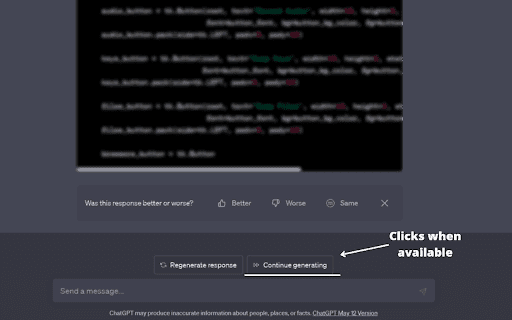
The 'ChatGPT Continue Generating Auto-Clicker' extension streamlines your interaction with ChatGPT by automatically clicking the 'Continue generating' button. Save time and improve efficiency, especially when multitasking across tabs. Features include Auto Full Mode, automated continuation, and real-time token tracking.
How to Use
Download the extension from the Chrome Web Store, open your ChatGPT conversation in the browser, and the extension will automatically handle the 'Continue generating' button for you.
Features
- Download code blocks directly from ChatGPT
- Real-time token counter with visual display
- Auto Full Mode for seamless chat management
- Automatic clicking of the 'Continue generating' button
Use Cases
- Automating responses in ChatGPT with auto-continue
- Downloading code snippets effortlessly
- Monitoring token usage to avoid limits
- Managing chat history automatically when the mouse approaches
Best For
ResearchersChatGPT usersStudentsContent creatorsDevelopers
Pros
- Enables quick downloading of code blocks
- Reduces manual effort by automating button clicks
- Provides visual token usage tracking
- Enhances user experience with Auto Full Mode
- Supports multiple languages for diverse users
Cons
- Some users experience redirects to OpenAI help pages
- Token counter may cause slight lag
- Potential compatibility issues with ChatGPT updates
- Auto Full Mode may not work perfectly for all users
FAQs
What functions does the ChatGPT Auto-Continue & Token Counter extension perform?
It automates clicking the 'Continue generating' button, tracks token usage, and allows downloading of code blocks.
How can I install this extension?
Download it from the Chrome Web Store and open your ChatGPT chat in your browser to start using it.
Does the extension support multiple languages?
Yes, it is compatible with all languages supported by ChatGPT.
What is Auto Full Mode?
Auto Full Mode automatically manages chat history as your mouse moves near the chat window.
Is this extension free?
Yes, it is available at no cost through the Chrome Web Store.