

ChatGPT Chrome Extension
A Chrome extension that displays ChatGPT-generated responses alongside search engine results for enhanced browsing and content creation.
About ChatGPT Chrome Extension
ChatGPT for Search Engines is a Chrome extension that shows AI-generated responses next to search results on Google, Bing, DuckDuckGo, and other platforms. It utilizes OpenAI's ChatGPT to improve your browsing experience by providing prompt ideas for SEO, advertising, video scripts, blog writing, and creative projects like poetry. This extension helps users find detailed answers directly within search pages, streamlining research and content development.
How to Use
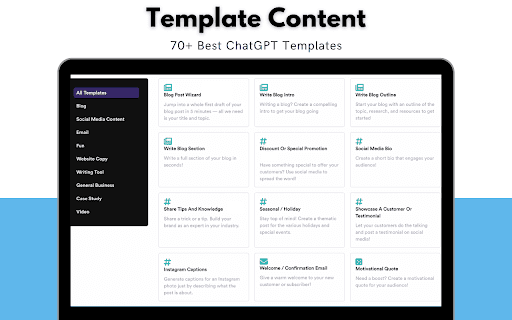
Download and install the extension from the Chrome Web Store. Once installed, ChatGPT responses will automatically appear next to search results on supported engines. Access over 70 prompt templates for various tasks, explore popular prompts, share your own, and customize trigger settings to suit your needs.
Features
- Right-click prompts for quick sending
- Displays ChatGPT responses alongside search results
- Highlights code syntax for technical content
- Provides top prompts for SEO, marketing, art, and programming
- Access via popup or dedicated page
- Dark mode for comfortable viewing
- Share prompts and receive donations
- Over 70 customizable prompt templates
- Flexible trigger options (always, manual, question mark)
- Configure OpenAI API settings
Use Cases
- Writing poetry and creative content
- Creating marketing campaigns
- Outlining blog articles
- Designing email newsletters
- Optimizing website SEO
- Assisting with programming tasks
Best For
Pros
- Enables prompt sharing and donation options
- Includes syntax highlighting for code snippets
- Supports multiple search engines
- Provides quick access to AI responses within search pages
- Customizable trigger settings
- Offers a wide variety of prompt templates
- Dark theme available for user comfort
Cons
- Some users may experience prompt generation issues
- Dependent on OpenAI API availability
- Prompt quality affects response accuracy
- Free API usage can lead to occasional instability