

ChatGPT Exporter
A comprehensive tool designed to efficiently extract and save ChatGPT conversations across multiple formats.
About ChatGPT Exporter
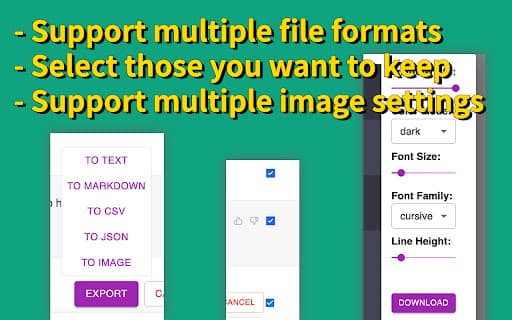
ChatGPT Exporter is a versatile solution for capturing and saving ChatGPT conversations in formats like Markdown, Text, JSON, CSV, and images. It enables users to select specific conversations for export and customize image settings, making it ideal for research, content creation, and personal archiving. Designed to simplify the process of extracting conversations, especially when managing large volumes or targeted data.
How to Use
Install the ChatGPT Exporter Chrome extension. After installation, select conversations to export using checkboxes, choose your preferred file format or image settings, and save the data to your device. The extension offers intuitive options for customizing exports and managing conversation selections.
Features
- Allows customization of image size, font size, and font style
- User-friendly interface for easy operation
- Supports exporting in Markdown, Text, JSON, CSV, and image formats
- Enables selective conversation export with checkboxes
Use Cases
- Archiving ChatGPT conversations for personal reference
- Creating shareable content from AI interactions
- Extracting data for research and analysis
- Saving chat logs for training or documentation
Best For
Pros
- Enables customizable image settings for visual content
- Supports multiple export formats for flexibility
- Allows selective conversation exporting, saving time
- Intuitive interface suitable for all users
Cons
- Limited to exporting ChatGPT conversations only
- Requires Google Chrome browser for extension use