

ChatGPT for Google
A Chrome extension that seamlessly combines ChatGPT with Google search, enabling quick AI-powered responses while browsing.
About ChatGPT for Google
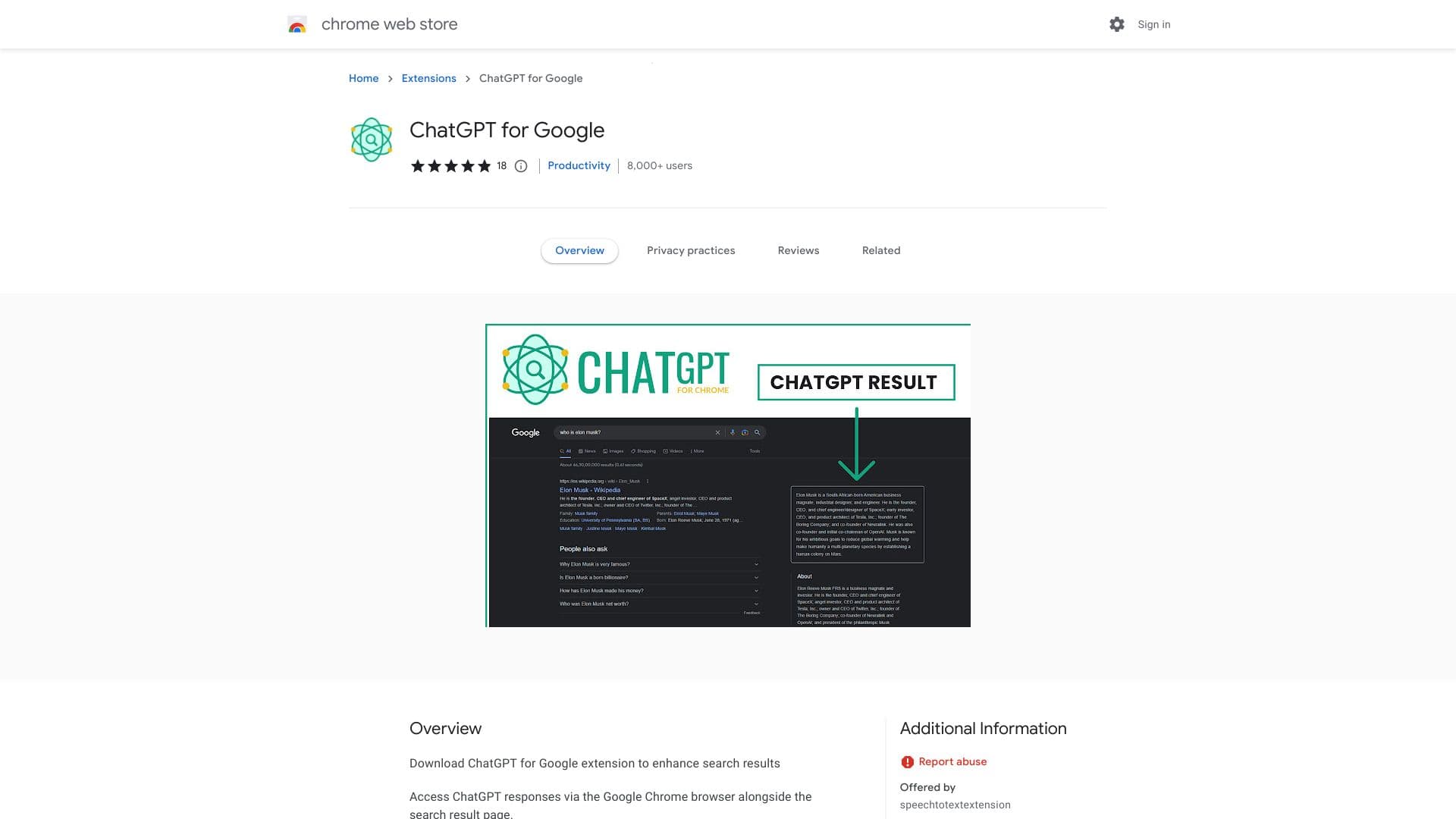
ChatGPT for Google is a powerful Chrome extension that embeds ChatGPT responses directly within your Google search results. It streamlines information retrieval, providing AI-generated answers alongside traditional search snippets, making browsing faster and more efficient.
How to Use
Download and install the ChatGPT for Google Chrome extension. Once installed, AI responses from ChatGPT will appear alongside your Google search results. Access additional features through the extension popup in your browser toolbar.
Features
- Copy text to clipboard easily
- Highlight code snippets for clarity
- Customize trigger settings for conversations
- Dark mode for comfortable browsing
- Render Markdown for formatted text
- View ChatGPT responses directly within Google search results
Use Cases
- Generate and refine text, sentences, or paragraphs with AI assistance
- Research complex topics and grasp difficult concepts quickly
- Find answers and definitions instantly while browsing
Best For
WritersDevelopersResearchersStudentsContent creators
Pros
- Speeds up research and information gathering
- Easy access to ChatGPT responses within the browser
- Includes useful features like Markdown rendering and code highlighting
- Enhances understanding through natural language generation
Cons
- Some users face initial login difficulties
- May require occasional website refreshes to maintain login stability
FAQs
Is the ChatGPT Chrome extension compatible with all websites?
Yes, you can use the ChatGPT extension on any website open in your browser.
How do I view ChatGPT responses alongside Google search results?
Install the ChatGPT for Chrome extension, which integrates ChatGPT responses directly within Google search pages.
Does this extension support code highlighting?
Yes, it offers code highlighting for better readability of programming snippets.
Can I customize how ChatGPT is triggered?
Yes, the extension allows you to set custom trigger modes for initiating ChatGPT conversations.
Is there a dark mode available for the extension?
Yes, dark mode is supported for a comfortable browsing experience.