

ChatGPT Line by Line File Uploader
A Chrome extension that simplifies adding prefixes and suffixes to text files with ease.
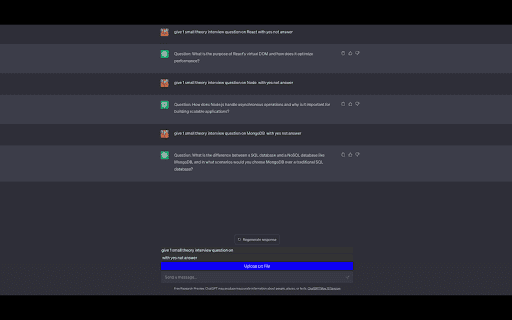
About ChatGPT Line by Line File Uploader
ChatGPT Line by Line File Uploader is a Chrome extension that streamlines text file management. Users can quickly upload files and automatically add custom prefixes or suffixes to each line with just one click, eliminating manual editing and saving time.
How to Use
Upload your text file, enter your desired prefix and suffix, and click to process. The extension will automatically apply the changes to each line and provide a download link for the updated file.
Features
- Apply custom prefixes and suffixes to each line of a text file
Use Cases
- Standardizing list formats with prefixes or suffixes
- Adding labels or tags to each line in documents
- Appending metadata or identifiers to text lines
Best For
WritersResearchersProgrammersData entry specialistsContent creators
Pros
- Intuitive interface for easy use
- Automates prefixing and suffixing, saving time
- Simplifies editing of text files
- Reduces the need for manual copy-paste
Cons
- Limited to prefix and suffix functions
- Requires Google Chrome browser
FAQs
What is the main function of ChatGPT Line by Line File Uploader?
It enables uploading a text file and automatically adding custom prefixes and suffixes to each line with one click.
How can I use this Chrome extension?
Upload your text file, enter the desired prefix and suffix, then click to process. Download the updated file after processing.
Is this extension compatible with all browsers?
No, it is designed specifically for Google Chrome browser users.
Can I add multiple prefixes or suffixes at once?
Currently, the extension supports adding one prefix and one suffix per line.
Is there a cost to use this extension?
The extension is free to download and use.