

ChatGPT Optimizer - Boost Your AI Workflow
ChatGPT Optimizer is a powerful productivity enhancement tool that adds new features and interface improvements to ChatGPT, streamlining user workflows and boosting efficiency.
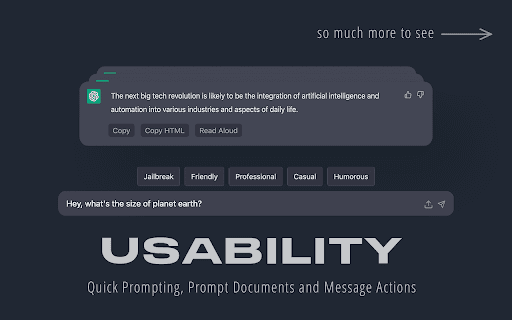
About ChatGPT Optimizer - Boost Your AI Workflow
ChatGPT Optimizer enhances the ChatGPT user experience by providing additional features and interface customizations. It simplifies message management, streamlines prompt engineering, and allows personalized interface settings, all through an easy-to-install extension that improves overall productivity.
How to Use
Install the extension to unlock features like copy buttons, read-aloud, prompt management, and interface themes. Use shortcuts to quickly copy messages, regenerate responses, or access other tools for a smoother workflow.
Features
- Advanced message management including copy, delete, and read aloud
- Powerful prompt engineering with selection, history, and URL integration
- Customizable interface with themes, collapsible menus, and adjustable width
- Export and import options for images, CSV, JSON, PDF, HTML, and TXT files
Use Cases
- Backing up and sharing chats through export/import
- Optimizing ChatGPT workflows for content creation
- Refining prompts to achieve better AI responses
- Personalizing ChatGPT interface to suit individual preferences
Best For
Pros
- Offers extensive interface customization options
- Includes quick-access shortcuts for efficiency
- Compatible with both ChatGPT Plus and standard versions
- Extensive features to enhance productivity
- Regular updates and responsive support
Cons
- Some features may require a learning curve
- Potential compatibility issues with future ChatGPT updates
- Developed by a third-party, not directly by OpenAI
Pricing Plans
Choose the perfect plan. All plans include 24/7 support.