
Chatgpt PDF | Ask your pdf
A Chrome extension powered by ChatGPT that efficiently summarizes, annotates, and enables querying of PDF documents for a smarter reading experience.
About Chatgpt PDF | Ask your pdf
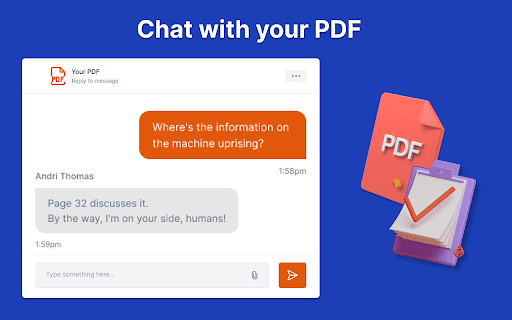
Enhance your productivity with this ChatGPT-enabled Chrome extension designed for PDF management. It simplifies reading and understanding complex documents by providing automatic summaries, interactive annotations, and chat-based content queries, making PDF interaction more efficient and insightful.
How to Use
Install the extension, open a PDF in your browser, then use the interface to generate summaries, ask questions, or add annotations to your document.
Features
- Intuitive document navigation
- Smart annotation tools
- AI-powered PDF summarization
- Seamless ChatGPT integration for queries
Use Cases
- Extract key insights from research papers
- Quickly grasp lengthy PDF content
- Enhance learning with interactive annotations
Best For
ResearchersProfessionalsStudentsAcademic writersLegal and technical professionals
Pros
- Provides accurate, AI-generated summaries with natural language understanding
- Handles various document formats effortlessly
- Allows customizable summarization options
- Integrates smoothly with existing PDF readers
- Saves time by quick summarization of lengthy PDFs
Cons
- Limited to Chrome browser users
- Performance depends on PDF content quality
- May struggle with highly complex or technical documents
FAQs
How do I upload a document to the AI?
Click the extension icon, then upload or open your PDF file to start interacting with the AI.
How can I ask questions about my document?
After uploading, click the extension icon and type your question in the chat interface for relevant answers or summaries.
How do I upload a PDF for analysis?
Select the upload option in the extension, browse to your file, and click 'Open' to upload the document.
How can I get a summary of my document?
Upload the PDF, then type commands like 'Summarize this document' in the chat to receive a concise overview.
Is it possible to generate a summary of my PDF?
Yes, upload your PDF and request a summary through the chat interface for a quick overview.