

ChatGPT PDF Saver
A powerful extension that enables users to save ChatGPT conversations as well-formatted PDF documents for easy sharing and record-keeping.
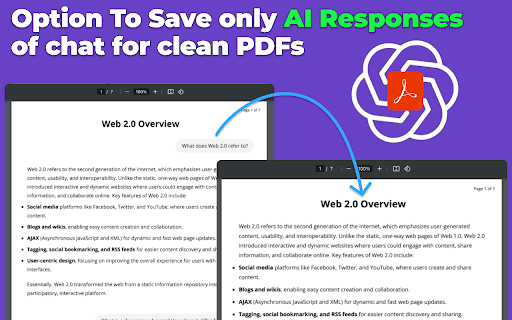
About ChatGPT PDF Saver
The ChatGPT to PDF Extension simplifies saving your AI conversations in beautifully formatted PDF files. Easily convert chats into professional documents with customizable styles, including A4, legal, and letter sizes, for seamless sharing and storage.
How to Use
Install the extension, start a ChatGPT conversation, then click the extension button to generate a PDF. Choose your preferred paper size and select specific chat sections to include or exclude.
Features
- Multiple PDF formatting options (A4, legal, letter)
- Lightweight and fast installation
- One-click PDF saving feature
- Preserves the visual style of chat conversations
- Selectively print or save parts of the chat
Use Cases
- Sharing professional insights from AI chats
- Creating official documents from ChatGPT interactions
- Archiving chat histories for future reference
- Preparing business reports based on AI conversations
- Academic research and project documentation
Best For
Business professionalsStudents and researchersWriters and content creatorsAnyone needing chat documentationEducators and trainers
Pros
- Extremely lightweight, causing no performance issues
- Allows selective saving to exclude unnecessary prompts
- Maintains the original chat appearance and formatting
- Simple to use with a quick click-to-save process
- Offers customizable PDF styles for various needs
Cons
- Limited options for advanced PDF customization
- Primarily focused on saving and formatting chats, not extensive editing
FAQs
What file formats are supported for saving conversations?
You can save your ChatGPT conversations directly as PDF files.
Can I customize the PDF style and layout?
Yes, choose from default styles including A4, legal, and letter for your PDFs.
Is the extension lightweight and easy to use?
Absolutely, it is a lightweight extension at just 9KB, ensuring smooth performance.
Does the extension support selective chat saving?
Yes, you can choose specific parts of the conversation to include in your PDF.
Can I convert multiple chats into PDFs at once?
This extension is designed for single conversation exports; batch processing is not supported.