

ChatGPT Save & Copy - Export your chats!
A powerful browser extension that allows users to export, copy, and print ChatGPT conversations effortlessly.
About ChatGPT Save & Copy - Export your chats!
ChatGPT Save & Copy is an intuitive browser extension designed to improve your ChatGPT experience. It offers seamless features to export conversations in various formats, copy entire chats or individual messages quickly, and print conversations directly from the interface. This tool simplifies saving, sharing, and managing your ChatGPT interactions efficiently, making it ideal for students, professionals, and content creators.
How to Use
Install the ChatGPT Save & Copy extension, which then integrates automatically into the ChatGPT interface. Use the provided buttons or right-click menu options to export conversations in preferred formats, copy messages to the clipboard, or print chats directly from the ChatGPT page.
Features
- One-click copying of entire conversations or individual messages
- Customizable selection options
- Export chats in formats like TXT, HTML, PDF, DOC, CSV, Markdown, JSON, XML, and RTF
- Context menu integration for quick access
- Dedicated copy buttons for individual messages
- Print conversations directly from ChatGPT
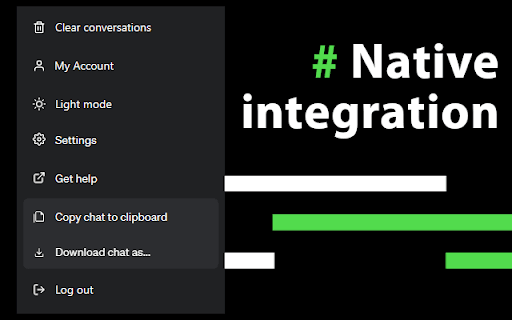
- Native integration within the ChatGPT interface
Use Cases
- Backing up important ChatGPT chats
- Archiving conversations for future reference
- Incorporating ChatGPT content into reports or documents
- Sharing ChatGPT interactions with colleagues or clients
Best For
Pros
- Simple and quick conversation copying and printing
- Smooth integration with ChatGPT interface
- Easy-to-use individual message copying
- Supports multiple export formats
- Accessible contextual menu options
Cons
- Dependent on ChatGPT website updates, which may require extension adjustments
- Limited to the ChatGPT platform only