

ChatGPT Search and Translator
Seamlessly integrates ChatGPT into Google, Bing, DuckDuckGo, and DeepL after login, enhancing your browsing and translation experience.
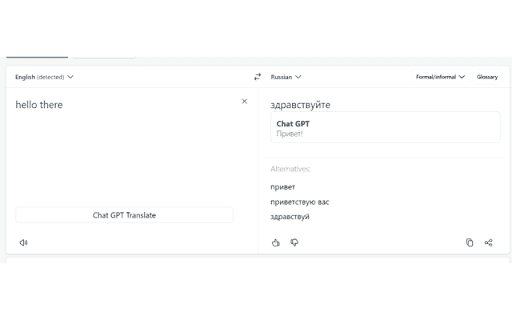
About ChatGPT Search and Translator
This tool enables you to access ChatGPT directly within Google, Bing, DuckDuckGo, and DeepL. After logging into your ChatGPT account on chat.openai.com, you can enjoy AI-powered assistance across these popular platforms for smarter searches and translations.
How to Use
Sign in to your ChatGPT account at chat.openai.com. Once logged in, the integration activates automatically within supported platforms, providing instant AI assistance during your searches and translations.
Features
- Integrates ChatGPT seamlessly into major search engines and translation services
Use Cases
- Enhancing translation quality with ChatGPT within DeepL
- Improving search results on Google, Bing, and DuckDuckGo using AI assistance
Best For
ResearchersFrequent search engine usersProfessional translatorsWriters and content creatorsStudents seeking AI support
Pros
- Boosts search accuracy and translation effectiveness
- Simple setup after initial login
- Provides quick access to ChatGPT across multiple platforms
Cons
- Requires an active ChatGPT account
- Performance depends on ChatGPT's server availability
- Limited to platforms with integrated support
FAQs
How can I activate ChatGPT integration?
Just log into your ChatGPT account at chat.openai.com. The integration will automatically enable on supported platforms like Google, Bing, DuckDuckGo, and DeepL.
What platforms support this ChatGPT integration?
Currently, it supports Google, Bing, DuckDuckGo, and DeepL.
Do I need a premium ChatGPT plan to use this?
No, basic ChatGPT accounts are sufficient to access the integration on supported platforms.
Is this integration available on mobile devices?
Yes, it works seamlessly on mobile browsers when logged into your ChatGPT account.
Can I disable the integration if I no longer want it?
Yes, you can disable it through your platform settings or by logging out of your ChatGPT account.