

ChatGPT Search Bar & Send With Command Enter
Enhances ChatGPT with advanced chat search, customizable send keys, and prompt safety features for a better user experience.
About ChatGPT Search Bar & Send With Command Enter
This browser extension improves the ChatGPT experience by enabling efficient chat title searches, customizable message send shortcuts, and safeguards against accidental message sends. It streamlines conversation management and enhances overall usability.
How to Use
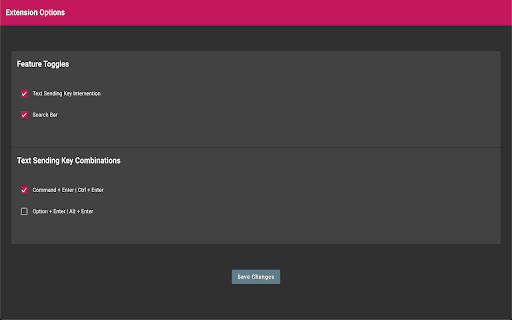
Install the extension, utilize the search bar to locate chat titles, and customize send key shortcuts in the settings. The default send keys are Command+Enter on Mac and Ctrl+Enter on Windows.
Features
- Search chat titles including 'Express Search' for all conversations
- Customize key combinations for sending messages
- Access settings to enable or disable features easily
- Prevent accidental message sends during editing
Use Cases
- Quickly locate past chats using chat title search
- Organize and manage ChatGPT conversations efficiently
- Set personalized send keys to avoid accidental messages
Best For
ChatGPT power usersResearchers and studentsPrompt engineersContent creatorsFrequent ChatGPT users
Pros
- Allows personalized message sending to reduce errors
- Enhances chat navigation with search capabilities
- Easy-to-use settings for customization
- Compatible with both Mac and Windows systems
Cons
- Alters default Enter key behavior, requiring adaptation
- Initial search limited to recent 30 days, now expanded
- Requires user agreement for 'Express Search' due to terms of use
FAQs
How do I send messages after installing the extension?
Use Command+Enter on Mac or Ctrl+Enter on Windows. Customize or disable these in the settings menu.
How can I activate the 'Express Search' feature?
Agree to the terms of use in the settings, then use the search bar to browse all past conversations.
Is it possible to revert the Enter key to its original behavior?
Yes, you can disable the custom send key feature in the extension's options menu.
Does this extension work on all browsers?
It is designed for popular browsers like Chrome and Firefox; check compatibility for your specific browser.
Can I search for specific keywords within my chats?
Yes, the chat title search supports keyword queries to quickly locate relevant conversations.