

ChatGPT Shortcut - Open from the Address Bar
A browser extension that provides instant access to ChatGPT directly from your address bar for enhanced productivity.
About ChatGPT Shortcut - Open from the Address Bar
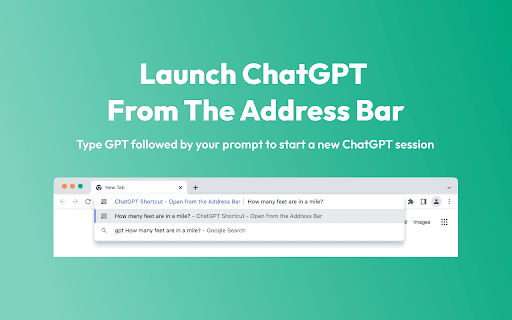
This extension enables you to initiate a ChatGPT conversation directly from your browser's address bar. Simply type 'GPT' followed by your prompt to quickly open a new ChatGPT session without visiting the website.
How to Use
1. Install the extension. 2. Log into ChatGPT within your browser. 3. Type 'GPT' followed by your prompt in any tab's address bar. 4. Press Enter to launch ChatGPT with your input.
Features
- Instantly access ChatGPT from the browser address bar
Use Cases
- Initiate new ChatGPT conversations with custom prompts
Best For
StudentsFrequent ChatGPT usersResearchersWritersDevelopers
Pros
- No sign-in or account needed for the extension itself
- Fast and straightforward access to ChatGPT
- Saves time by inputting prompts directly in the address bar
Cons
- Requires a ChatGPT account to use the service
- Dependent on ChatGPT's availability and performance
FAQs
Is a ChatGPT account necessary to use this extension?
Yes, while the extension itself requires no sign-in, a ChatGPT account is needed to access the chatbot service.
Does the extension collect or store my data?
No, this extension does not collect or store any user data.
How do I activate ChatGPT from the address bar?
Simply type 'GPT' followed by your prompt in the address bar and press Enter to open ChatGPT with your input.
Can I use this extension on any browser?
Yes, it is compatible with most major browsers that support extensions, like Chrome and Firefox.
What should I do if the extension isn't working?
Ensure you're logged into ChatGPT in your browser, and verify that the extension is properly installed and up to date.