

ChatGPT Toolkit
A versatile browser extension that enhances your chat experience with AI-powered features powered by ChatGPT.
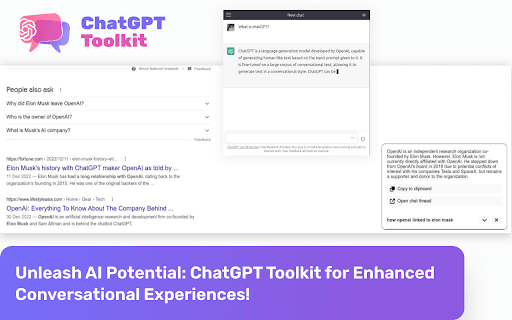
About ChatGPT Toolkit
The ChatGPT Toolkit is a powerful browser extension designed to improve your chat interactions with AI-driven features. It seamlessly integrates ChatGPT into your browsing environment, enabling you to generate intelligent responses directly from the popup, address bar, or context menu for a smoother communication experience.
How to Use
Use the ChatGPT Toolkit by opening the extension's popup, typing 'gpt' followed by your prompt in the address bar, or right-clicking on selected text to access ChatGPT via the context menu.
Features
- ChatGPT accessible from the extension popup
- Integration with the browser address bar
- Quick responses through right-click context menu
Use Cases
- Creating natural and intelligent responses in chats
- Improving communication with AI assistance
- Generating quick replies during online conversations
Best For
ProfessionalsCustomer support teamsWriters and content creatorsSocial media managersStudents seeking assistance
Pros
- Speeds up response generation, saving time
- Enhances communication clarity and effectiveness
- Easy access to ChatGPT from multiple browsing points
- Integrates smoothly into your daily workflow
Cons
- Dependent on ChatGPT’s AI accuracy, which may vary
- Requires a compatible browser with extension support
FAQs
What is the ChatGPT Toolkit?
It is a browser extension that embeds ChatGPT into your browsing experience, enabling quick and intelligent responses across various platforms.
How can I use the ChatGPT Toolkit?
Access it via the extension popup, type 'gpt' in the address bar with your prompt, or right-click on text to use ChatGPT from the context menu.
Is the ChatGPT Toolkit free?
Yes, it is available as a free extension with optional premium features, depending on the provider.
Which browsers support this extension?
It is compatible with popular browsers like Chrome, Firefox, and Edge, supporting seamless integration.
Can I customize the responses generated by ChatGPT?
Response customization depends on the extension's features, allowing some level of prompt tailoring and settings adjustments.