

ChatGPT Visioner for Screenshot Reading and Analysis
A Chrome extension that seamlessly integrates webpage screenshots into ChatGPT conversations, enabling detailed analysis and precise responses.
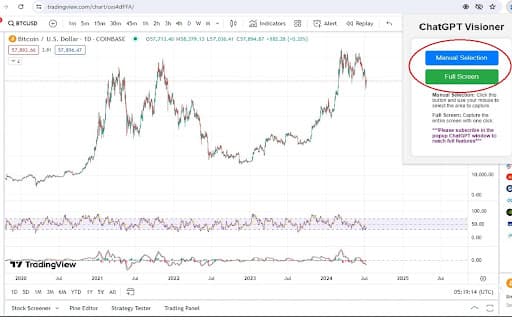
About ChatGPT Visioner for Screenshot Reading and Analysis
ChatGPT Visioner is a powerful Chrome plugin that boosts browsing efficiency by capturing webpage screenshots and integrating them into ChatGPT conversations. Users can input prompts, which are automatically saved and retrieved, allowing ChatGPT to analyze both visual and textual content within images. This tool is ideal for tasks such as text processing, chart analysis, and extracting information from visual data.
How to Use
Install the ChatGPT Visioner Chrome extension. Capture a screenshot using manual selection or full-screen mode. Enter a prompt; it is automatically saved. The plugin uploads the screenshot and prompt to ChatGPT for analysis. Review and adjust the response as needed for accuracy.
Features
- Save conversations as Word documents
- Manage and input prompts easily
- Automatically save and recall prompts
- Capture screenshots and integrate with ChatGPT
Use Cases
- Performing detailed text analysis on images
- Extracting data from webpage screenshots
- Analyzing stock and cryptocurrency charts
Best For
Pros
- Automatically saves prompts for convenience
- Enables saving entire chat conversations
- Integrates smoothly with ChatGPT for enhanced workflow
- Simple tools for capturing screenshots and managing prompts
- Supports analysis of image content and embedded text
Cons
- Basic ChatGPT features are available without a subscription, limiting advanced functions
- Full access requires a subscription plan