

ChatTab
A native Mac application that provides instant access to ChatGPT via hotkeys and a floating window for seamless multitasking.
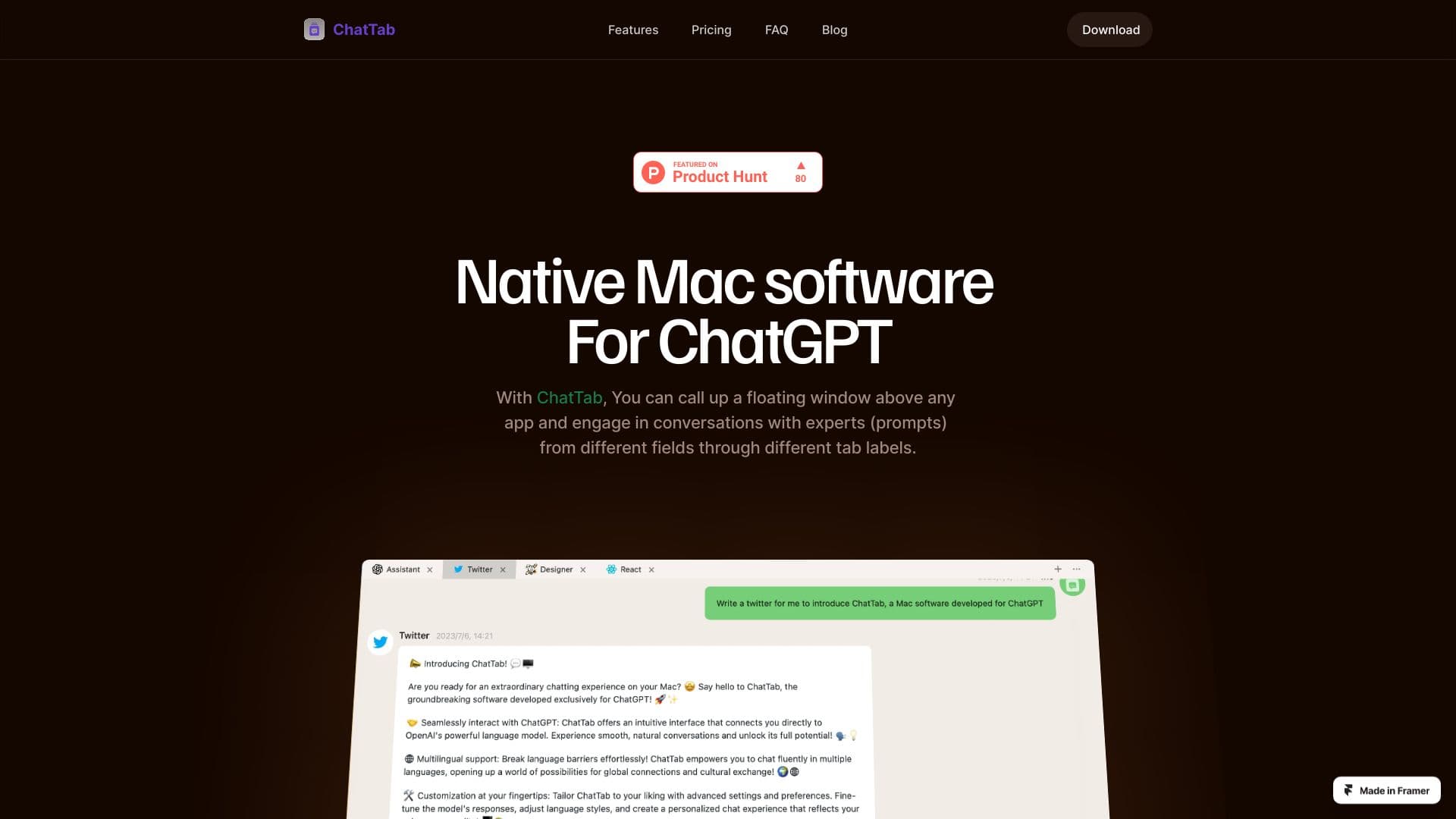
About ChatTab
ChatTab is a native Mac software that offers instant ChatGPT access through a customizable hotkey, enabling users to summon a floating chat window over any application. It supports GPT-4 Vision and Assistant API, allowing conversations with AI experts across various fields via organized tabs. Its fast, native interface enhances productivity and seamless multitasking on macOS.
How to Use
Download and install ChatTab on your Mac. Press the assigned hotkey to summon a floating chat window over any application. Interact with ChatGPT using multiple prompt tabs for efficient conversations and workflow integration.
Features
- Supports GPT-4 Vision and Assistant API
- Quick access to ChatGPT via customizable hotkey
- Floating chat window overlays any Mac app
- Multiple prompt tabs for organized conversations
- Secure storage of API keys in Apple’s keychain
- iCloud synchronization for prompts and settings
- Supports multiple languages for global users
- Markdown formatting for clear text display
- Native macOS application with optimized performance
Use Cases
- Manage various prompts and ongoing conversations efficiently
- Integrate AI assistance directly into your workflow
- Access ChatGPT instantly while working in other applications
- Consult AI experts across different disciplines with ease
Best For
Pros
- Instant ChatGPT access with customizable hotkey
- Enhanced security; API keys stored securely in Apple Keychain
- Supports Markdown for improved text formatting
- iCloud sync ensures prompt continuity across devices
- Supports multiple languages for diverse users
- Native macOS experience with fast startup and minimal memory use
Cons
- Paid plans necessary for multi-tab, custom prompts, and iCloud sync features
- Exclusive to macOS platform
- Free version limited to a single chat tab
Pricing Plans
Choose the perfect plan. All plans include 24/7 support.
PRO
One-time payment for lifetime access. Includes multiple tabs, custom prompts, iCloud sync, and support for one Mac.
Get StartedMax
One-time fee for lifetime use. Supports up to three Mac devices, with all PRO features included.
Get Started