

Claude Chat Cleaner
A browser extension that enables one-click deletion of Claude AI conversation history for better privacy and workspace management.
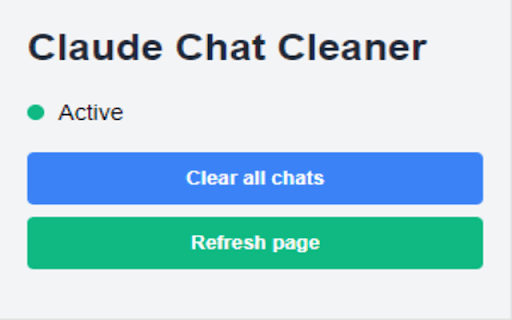
About Claude Chat Cleaner
Claude Chat Cleaner is a user-friendly browser extension designed specifically for Claude AI users. It provides a quick, one-click solution to delete all past conversations, helping users keep their workspace organized and maintain privacy. With this extension, you can clear your chat history from the 'Recent' section effortlessly, ensuring a tidy and secure Claude AI experience.
How to Use
Download and install the extension from the Chrome Web Store. Visit the Claude AI website (https://claude.ai), click the extension icon on your browser toolbar, then press the "Clear Chats" button. The page will refresh automatically, showing a clean chat interface.
Features
- Real-time status indicator
- Automatic page refresh after cleaning
- Detects organization UUID automatically
- One-click chat history removal
Use Cases
- Keep your Claude AI workspace clutter-free
- Secure your privacy by deleting chat history easily
- Remove outdated or irrelevant conversations quickly
Best For
Pros
- User-friendly and straightforward to operate
- Automatically detects organization UUID
- Boosts privacy by clearing chat history
- Enables one-click complete conversation deletion
Cons
- Deletes all conversations without selective options
- Limited to the Claude AI website only
- Irreversible without backups, so use caution