

Contextify AI
A Chrome extension that enables users to perform custom actions on selected text snippets across any website for enhanced productivity.
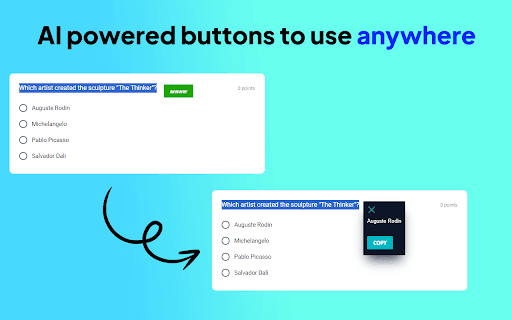
About Contextify AI
Contextify is a powerful Chrome extension that transforms how users engage with web content. By selecting text on any website, users can activate custom prompts to instantly translate, summarize, rewrite, brainstorm, or perform other tailored actions. Its adaptable responses make it an essential productivity tool for students, professionals, and content creators seeking efficient information processing.
How to Use
Install the Contextify Chrome extension. Highlight the desired text on any webpage. Click on the custom prompt buttons that appear to execute actions like translation, summarization, or rewriting based on your input.
Features
- Custom prompt buttons for versatile text tasks
- Automatic text summarization
- Brainstorming and idea generation
- Rephrasing and rewriting text
- Language translation capabilities
Use Cases
- Translating text from foreign languages on web pages
- Rephrasing paragraphs for clarity or tone adjustment
- Generating ideas through brainstorming tools
- Summarizing lengthy articles for quick understanding
Best For
Pros
- Offers a wide range of text management functions
- Boosts productivity with quick access to tools
- Highly customizable prompts for tailored actions
- User-friendly interface with simple text selection and button clicks
Cons
- Requires installation of a Chrome browser extension
- Limited to the Google Chrome browser
- Performance depends on the quality of custom prompts