
Conversor de Áudio para Texto
An efficient tool that transcribes audio recordings into text using the powerful OpenAI API for accurate results.
About Conversor de Áudio para Texto
The Audio to Text Converter is a versatile and easy-to-use tool that transforms audio recordings into written text with precision, leveraging the advanced OpenAI API. Ideal for transcribing meetings, lectures, interviews, and creating quick notes, it streamlines your workflow with fast and reliable transcription services.
How to Use
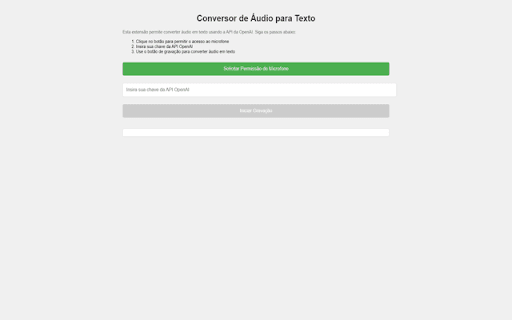
1. Install the software and enter your OpenAI API key. 2. Upload an audio file or record directly from your microphone. 3. Receive the transcribed text instantly, ready for editing or sharing.
Features
- Supports multiple languages for diverse transcription needs
- Intuitive interface for seamless operation
- Ensures secure handling of audio data
- Delivers high-accuracy transcriptions through OpenAI API
Use Cases
- Transcribing meetings and business conferences
- Creating content from lectures and interviews
- Generating notes from voice recordings
Best For
StudentsBusiness professionalsJournalistsResearchersContent creators
Pros
- Reduces time spent on manual transcription
- Offers high accuracy in converting speech to text
- User-friendly interface for easy operation
- Supports multiple languages for global use
- Improves accessibility for hearing-impaired users
Cons
- Audio quality impacts transcription accuracy
- Requires an OpenAI API key for operation
FAQs
What is the Audio to Text Converter?
It is a tool that converts spoken audio into written text using the OpenAI API for accurate transcription.
What are the key features of this transcription tool?
Key features include high accuracy, multilingual support, an easy-to-use interface, and secure data handling.
How can I use the Audio to Text Converter?
Install the application, input your OpenAI API key, upload or record audio, and receive the transcribed text instantly.
Does the tool support multiple languages?
Yes, it supports transcription in various languages to meet diverse user needs.
What are the system requirements?
You need an internet connection, a compatible device, and an OpenAI API key to operate the converter.