

Correcto - Herramienta de escritura
AI-driven writing tool designed to enhance Spanish communication with real-time suggestions, tone analysis, and correction features.
About Correcto - Herramienta de escritura
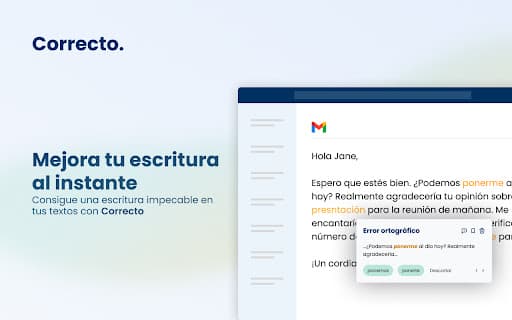
Correcto is an innovative AI-powered platform that offers comprehensive writing assistance for Spanish text. Its features include real-time suggestions, tone analysis, and grammatical corrections, accessible via a Chrome extension and web editor. Designed to improve clarity and accuracy, Correcto aims to elevate Spanish communication for professionals, students, and content creators worldwide.
How to Use
Install the Chrome extension to receive instant writing suggestions and corrections on various websites. Use the web editor for detailed editing and refinement. Enhance your messages on platforms like Gmail, Facebook, Twitter, Slack, and WhatsApp.
Features
- Real-time rewriting suggestions
- Intuitive web editor
- Synonym and phrase alternatives
- Orthographic and grammatical corrections
- Punctuation enhancements
- Tone and style analysis
Use Cases
- Editing social media posts on Facebook and Twitter
- Refining messages in Slack and WhatsApp
- Polishing documents in the web editor
- Optimizing email communication in Gmail
Best For
Pros
- Identifies issues beyond basic spell check
- Offers a free version of the Web Editor
- Compatible across multiple platforms including Gmail and social media
- User-friendly interface
- Secure, encrypted text and document processing
Cons
- Premium features require a subscription
- Limited to Spanish language support